We make one of these tools (MyVenueHQ). We checked every other vendor’s own pages on October 15, 2026, and list our limits too. Two sites (EventDiagram and EventDraw) blocked automated reads; their rows say “reported” and we kept them to what their pages were reported to say.
Pick by job
A free floor plan maker usually fits one of three jobs. Pick the job first, then read that tool’s limits below.
| Job | Tools to open first | What decides it |
|---|---|---|
| Sketch a layout fast, no account | MyVenueHQ, FloorPlanMaker | MyVenueHQ is a drag and drop builder. FloorPlanMaker draws from a typed description and cannot be dragged. ChatDiagram does the same from a description but asks for a free account. |
| Full venue diagramming, with your own plans | Cvent Event Diagramming, SeatPlan.io, EventDiagram, EventDraw | Cvent takes dwg, PDF, jpeg and png uploads. SeatPlan.io’s free venue page takes DXF, PDF and photos. EventDiagram and EventDraw are reported only, see their sections. |
| Interiors that you bend to an event | Floorplanner | Built for homes and shops. Free exports are small and watermarked. |
Free floor plan makers compared
Grouped by job, then alphabetical inside each group, with ours placed by the same rule. Prices change, so every row carries the date we read it. Details and caveats sit in the sections under the table.
| Tool | Built for | Free plan and its limit | Account to start? | Free exports | First paid tier | Checked |
|---|---|---|---|---|---|---|
| Sketch a layout fast | ||||||
| ChatDiagram | A general diagram tool with an event floor plan maker, 2D | 10 AI credits a month. Credits depend on the model you pick, so plans per month is not stated. | Free account, no card | SVG, PNG, PDF | Pro, $15.9 a month, 500 AI credits | 2026-10-15 |
| FloorPlanMaker (floorplanmaker.app) | General plans, with an event page. 2D, drawn from your text | No account, credit card or paid export. An hourly fair-use limit applies; the number is not stated. | No | SVG, PNG | None on the pages we read | 2026-10-15 |
| MyVenueHQ | Venues and event pros. 2D, plus a 3D view of the same plan | Build and download an image with no account. The page states no cap on tables or saved plans. The plan stays in your browser until you save it. The venue software’s free plan is 1 venue and 10 events a month. | No to build and download an image. A free account to save, share a link or print a PDF. | PNG with a “Made with MyVenueHQ” credit footer. PDF with a free account. Guest list CSV. | Venue, $49 a month or $490 a year, 14-day trial, no contract. The layout builder has no separate price. | 2026-10-15 |
| Full venue diagramming | ||||||
| Cvent Event Diagramming (Social Tables; Prismm is merging in) | Planners and hotels and venues. 2D; photo-realistic 3D is a custom add-on | 1 user account, 3 events in total (“3 (fixed)”, not per month), 2 diagrams per event, 150 attendees per attendee list. | Free account, no card | PDF. Other formats not stated. You can upload dwg, PDF, jpeg or png plans. | Venues: Pro, $150 a month or $1,500 a year, with a 12-month commitment on every paid plan | 2026-10-15 |
| EventDiagram (as reported on its pricing page) | Venues and planners, 2D; 3D from its Pro plan (reported) | Reported: 1 active diagram, 1 editor, 3 AI messages a month. | Not confirmed (site blocked our read) | Reported: watermarked on Free; clean exports from Solo | Reported: Solo, $9 a month or $90 a year | 2026-10-15 |
| EventDraw | Event planners and venues | A free trial exists. Its length and limits are not stated on what we could read. | Not stated | Not stated | By quote | 2026-10-15 |
| SeatPlan.io (for venues) | Weddings, events, venues, schools. 2D | A free venue floor plan, “no account and no contract”, published as a page for your room with an embeddable button that always carries its name. | No, for the free venue page | A web page rather than a file. PDF event diagrams are on its paid tiers. | Event Manager, $35 a month billed yearly or $40 month to month | 2026-10-15 |
| Interiors | ||||||
| Floorplanner | Homes, retail, real estate and interior design. 2D and 3D. Not event specific. | Up to 5 free projects, each limited to 3 floors with 3 designs total. | Free account | SD images (960 by 540 px) with a Floorplanner watermark | Plus, $5 a month with 4 credits (excluding VAT) | 2026-10-15 |
When you outgrow the free plan: the first paid tier, a month
- Cvent Event DiagrammingVenues Pro, 12-month commitment $150
- MyVenueHQThe whole venue software $49
- SeatPlan.ioEvent Manager, billed yearly $35 $40 month to month
- ChatDiagramPro, 500 AI credits $15.90
- EventDiagramSolo, as reported $9
- FloorplannerPlus, 4 credits $5 excluding VAT
- FloorPlanMakerNo paid tier on the pages we read $0
VenuePreview turns up in AI answers for this query, but it is a different product: it makes decor visualizations from photos of an empty venue, not floor plans.
ChatDiagram
ChatDiagram is a general diagram tool with an event floor plan maker that builds a plan from a description of the room, the seating, the stage and the entry. The free account gives 10 AI credits a month, and its pricing page says credits depend on the model you choose, so it does not tell you how many plans that is. Free exports are SVG, PNG and PDF. It draws top-down 2D and gives no table spacing figures; its own page says to confirm final capacity with the venue. Pick it if you want an SVG or PDF from a written description and a free account is fine. Pro is $15.9 a month for 500 AI credits.
Cvent Event Diagramming, including Prismm
Cvent Event Diagramming, formerly Social Tables, is the one to know if planners already send you Cvent diagrams. The free plan is 1 user, 3 events in total, 2 diagrams per event and 150 attendees per attendee list. Its feature table says events are “3 (fixed)”, so that is not a monthly allowance, and a line in its FAQ promises all Pro features for 1 event, which the table does not support; we went by the table. You can upload your own plan (dwg, PDF, jpeg or png) for free if you know the room’s length and width. Venue plans start at $150 a month, or $1,500 a year, and every paid plan has a 12-month commitment. A Premium venue plan is $320 a month or $3,500 a year.
Prismm. prismm.com says “Prismm is now a part of Cvent”, and the free offer on its home page is the Cvent plan above. Since August 26, 2026 new events can be made only in Cvent Event Diagramming. Cvent says Prismm stays available for editing existing events through June 2027, and after June 2027 it is view-only. People with a paid Prismm account keep their current plans and prices. If you have Prismm rooms you still need, start moving them into whichever tool you pick before then.
EventDiagram
EventDiagram’s site was behind an automated-access check when we tried it, so every figure here is as reported on its pricing page, and we did not confirm it by hand. The reported Free plan is 1 active diagram drawn to scale (you archive it to start another), 1 editor, unlimited viewers and commenters, and 3 AI messages a month. Free exports are reported as watermarked, and 3D is not on Free. Clean exports start on Solo at a reported $9 a month or $90 a year. A reported promotion gives venues moving from Social Tables or Prismm the Pro plan free until January 31, 2027. If you are one of those venues, open its pricing page yourself before you decide.
EventDraw
EventDraw advertises a free trial and prices by quote. Its site sat behind a captcha when we checked, so we read no trial length, no limits, no export formats and no price, and we would rather say so than guess. It ranks on page one of Google US for “free event floor plan software”, which is why it is here. Ask the vendor for the trial before you plan a client event around it.
FloorPlanMaker
Several unrelated sites share the name FloorPlanMaker. We mean floorplanmaker.app, which is the one that matches “describe your venue and get a layout”. You type a description, it draws a 2D plan, and the page says there is no account, credit card or paid export. Exports are SVG and PNG, and the vendor says no watermark. An hourly fair-use limit applies but its number is not published. It is not a drag and drop editor: you change the plan by rewriting the description and generating again, nothing you type is saved, and the vendor warns that “AI can still make mistakes” so measurements need checking. It suits a quick SVG sketch from text, and it is a general tool rather than a venue one.
Floorplanner
Floorplanner is built for homes and interiors; it is not an event tool. The free plan keeps up to 5 projects, each limited to 3 floors with 3 designs total, and exports only SD images (960 by 540 pixels) with a watermark. Taking the watermark off costs 2 credits per project, and HD costs 5. Free exports also have a wait time for new exports. Its library includes party items, but its pages do not state banquet table sizes or seat counts. Pick it when the room is the point (a barn conversion, a tent footprint over a lawn) and a small watermarked image is enough. Plus is $5 a month for 4 credits.
MyVenueHQ
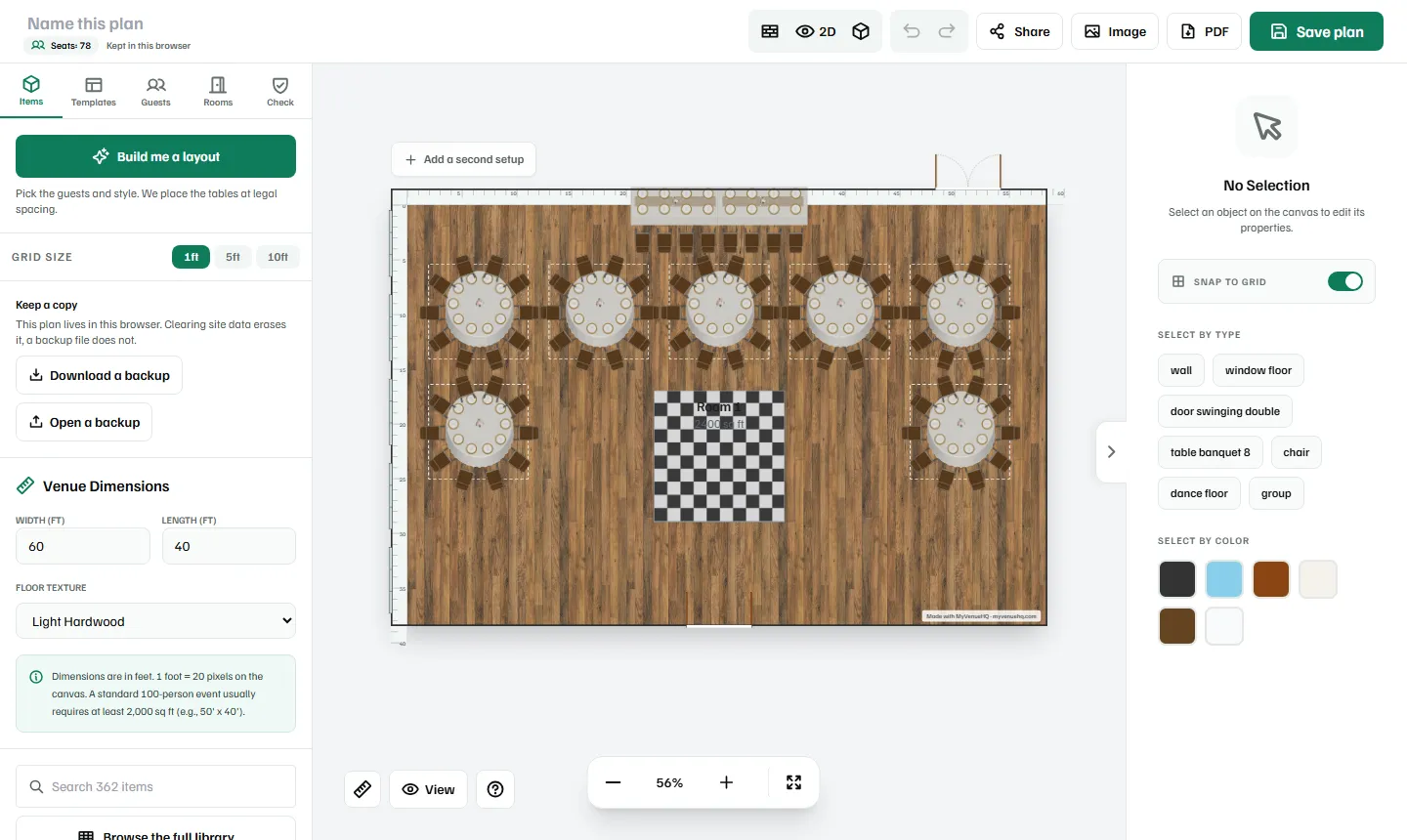
Our limits first, since you are reading a comparison we wrote. The image carries a “Made with MyVenueHQ” credit footer. The plan stays in your browser until you save it, and clearing site data erases it unless you downloaded the backup file. The PDF and the share link need a free account. Export is PNG only, with no SVG. There is no CAD import, no live multi-user editing and no describe-it-in-words drafting. The object library is smaller than Cvent’s. The free plan of the venue software behind it is 1 venue and 10 events a month; that counts events in MyVenueHQ, and the page states no cap on saved plans.
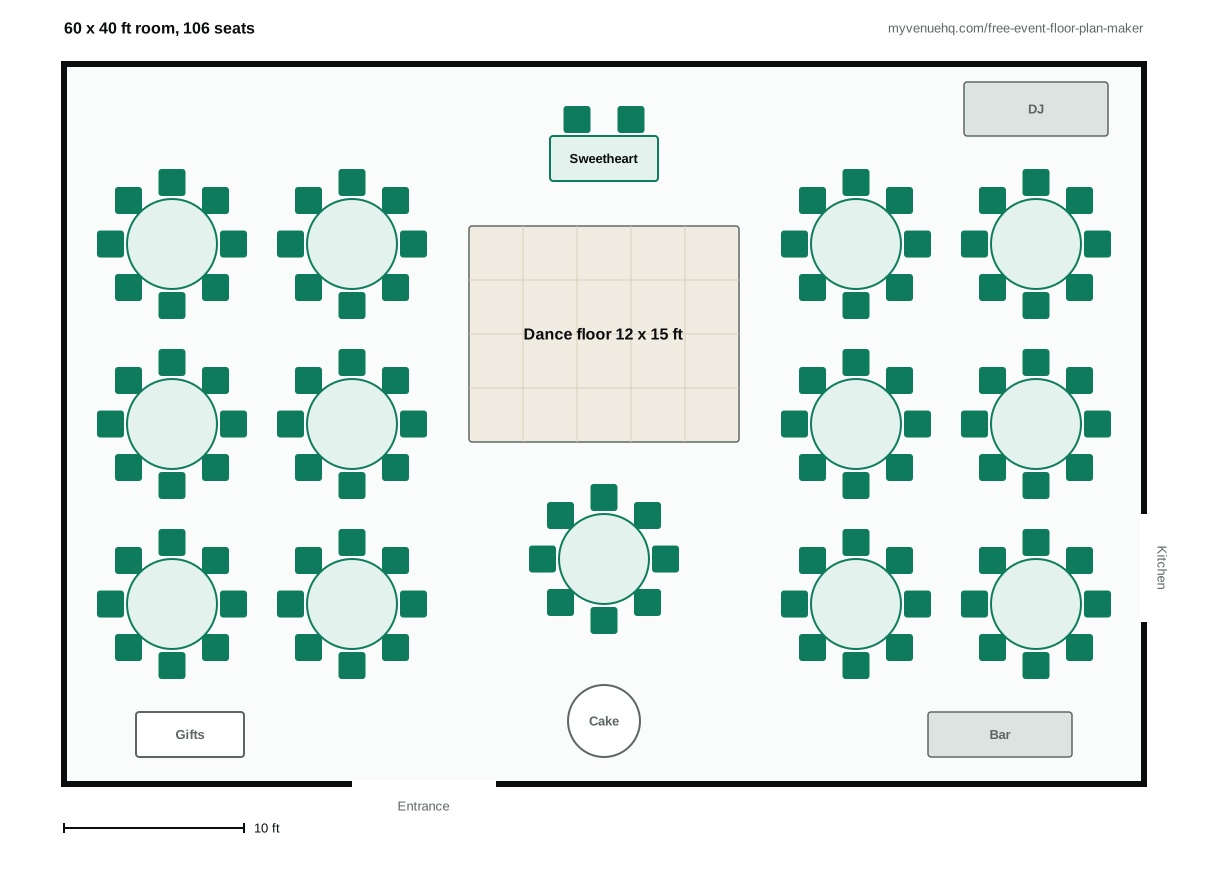
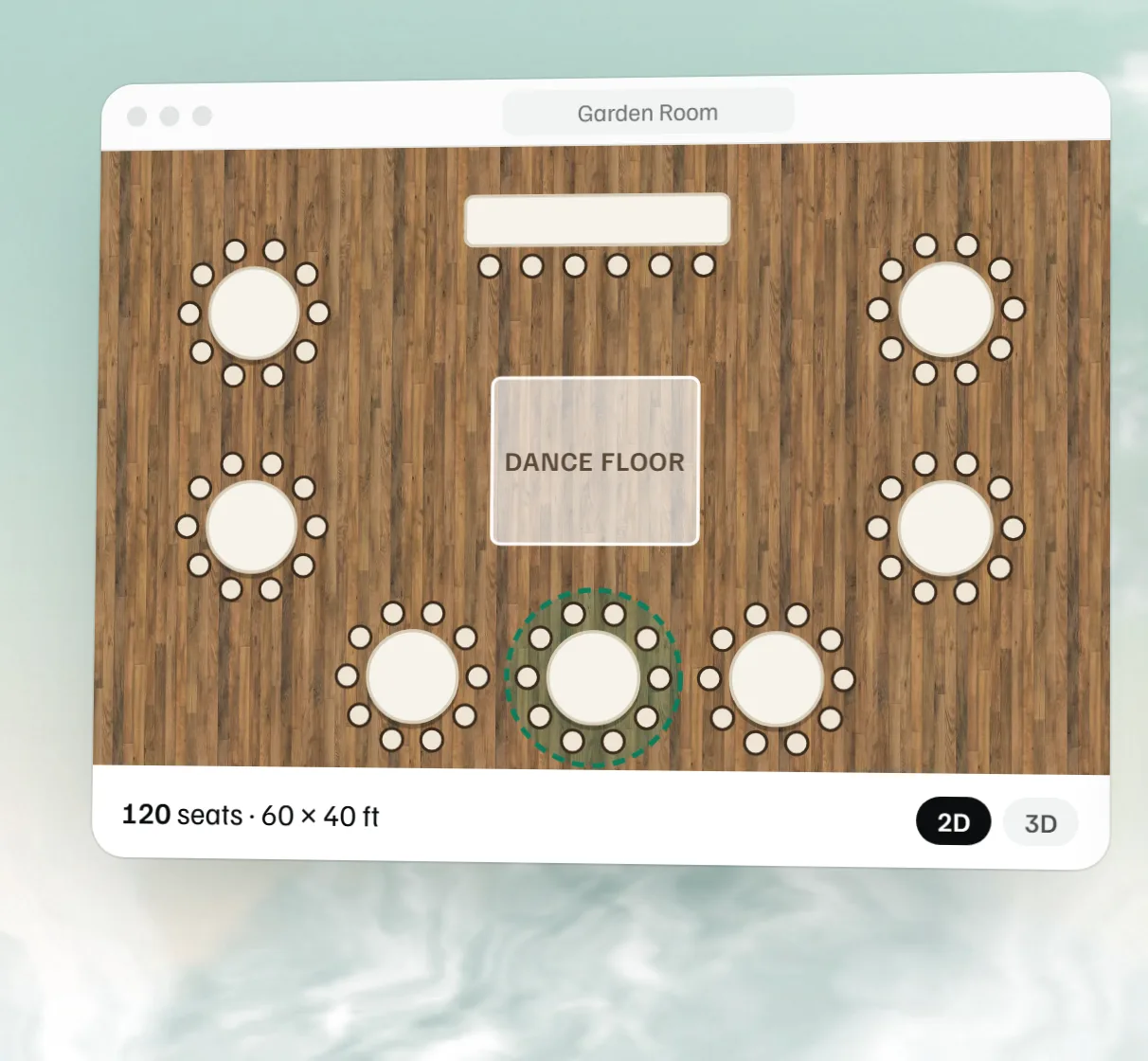
What it does well, and what you can check in a private window: you build and download an image with no account. Tables come in real banquet sizes in feet and inches (60 inch rounds seat 8, 72 inch rounds seat 10) and the seat count updates as you go. The spacing is stated: 18 inches of chair pull, a 24 inch service aisle, and about 60 inches between rounds. A 3D view shows the same plan, so a table moved in 2D moves in 3D. A shared link opens without a login. If you want the layout stored on the booking next to the proposal and BEO, it is part of the same free plan, but the free event floor plan maker works without any of that.
SeatPlan.io
SeatPlan.io is the closest rival for venues. Its venue page says your floor plan is free, with no account and no contract, and it is published as a page for the room at seatplan.io, plus a one-line embed button for your own website. The button always carries its name. You can import from a CAD (DXF) file, a PDF or a photo; a PDF or photo goes through its AI importer and you fix what it missed before publishing. Paid, Event Manager is $35 a month billed yearly or $40 month to month, with 10 AI floor plan imports a month. The free venue page is a web page rather than a file you attach to an email, and PDF event diagrams come with the paid tiers. It fits venues that already have CAD drawings and want a page for each room.
What to check before you pick
- CAD import. If your rooms exist as drawings, you want a tool that reads them. In this list that is Cvent (dwg, PDF, jpeg, png) and SeatPlan.io (DXF, PDF, photo). MyVenueHQ has none.
- Export format. SVG, PNG, PDF or a link? FloorPlanMaker and ChatDiagram give SVG; MyVenueHQ gives PNG only.
- A watermark on the free export. Floorplanner’s is a watermark on a small image, ours is a credit footer, and EventDiagram’s Free exports are reported as watermarked.
- A cap on events or diagrams. Cvent’s free plan is 3 events in total. EventDiagram’s is reported as 1 active diagram. Floorplanner’s is 5 projects.
- What happens when you close the tab. FloorPlanMaker saves nothing you type. With MyVenueHQ and no account, the plan stays in that browser until you save it or download the backup file.
- Whether the caterer can open it. A PDF or an image opens anywhere. A link needs the other person to follow it; ours opens without a login.
- Commitment on paid plans. Cvent’s paid plans carry a 12-month commitment. Ours are not contracts.
Which should a venue pick?
You need a layout for a tour this afternoon and have no CAD file. Open MyVenueHQ if you want to drag tables and watch the seat count, or FloorPlanMaker if you would rather type a description and need an SVG. Both start with no account. Check every measurement on a generated plan against the room.
Your rooms exist as CAD drawings, or planners send you Cvent diagrams. SeatPlan.io’s free venue page imports DXF and gives each room a page for your site. Cvent Event Diagramming is the safer match if your planners already use it, but its free plan stops at 3 events, and a venue plan starts at $150 a month on a 12-month commitment. If you are on Prismm, the timeline above is the date that matters.
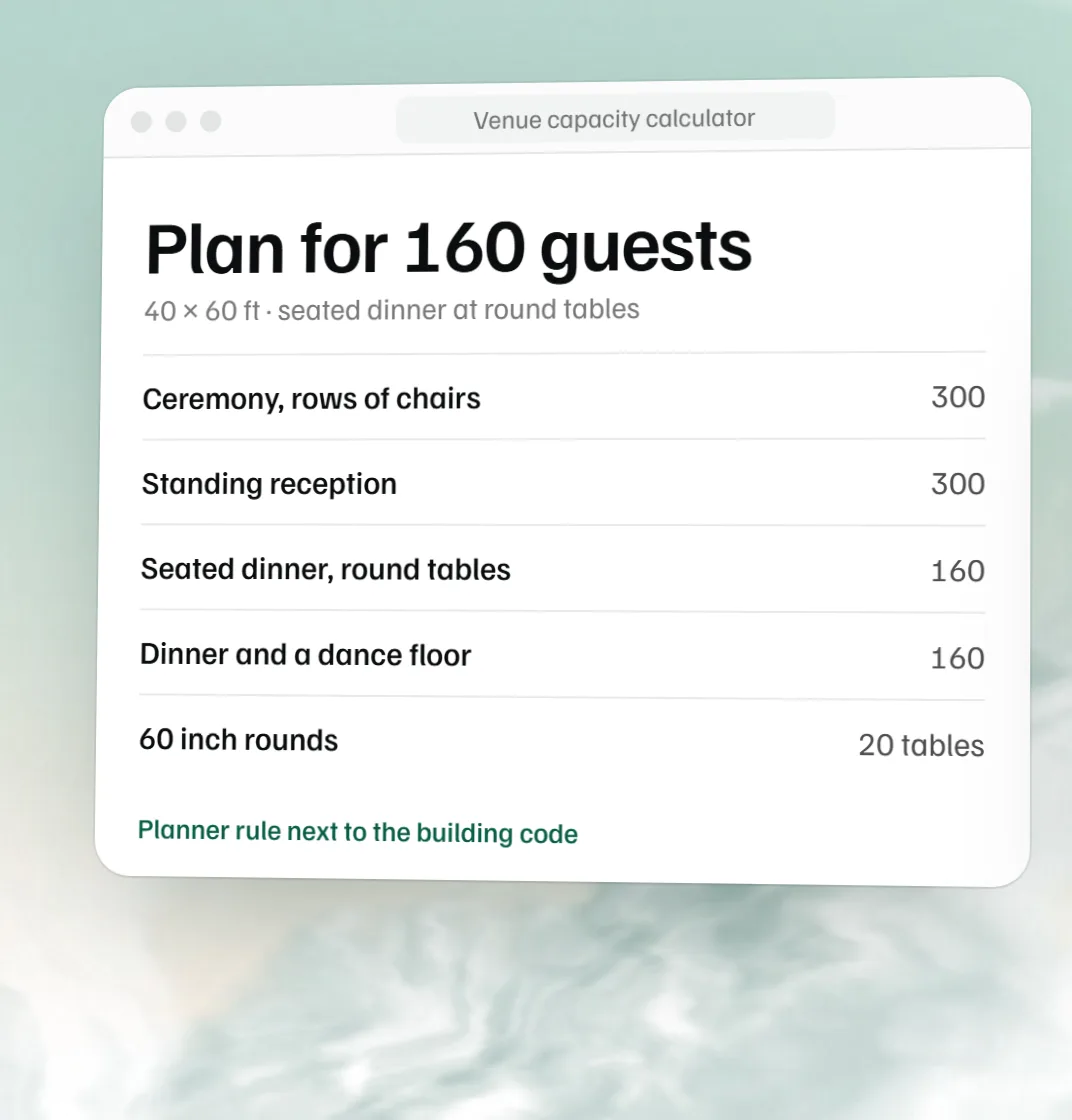
You run events every week and want the layout on the booking. The floor plan sits on the booking in the MyVenueHQ dashboard, next to the proposal and BEO, and the free plan covers 10 events a month. If you only need one floor plan page for your website, SeatPlan.io’s free venue page is built for exactly that. To check how many guests a room holds before you draw, use the free venue capacity calculator; for seating by name, see free seating chart makers compared.
How we checked
We read each vendor’s own pricing and product pages on October 15, 2026, and noted the figure as written. We did not use competitor-authored comparisons as sources; we only used them to find things to verify. Where a page blocked automated reads (EventDiagram, EventDraw), the row says “reported” and keeps to what that page was reported to say, and a figure we could not read is left out. We left out Tripleseat Floorplans because its pages disagreed about price and trial, and we did not state vendor claims about user counts or library sizes, which we cannot verify. Nothing here says a layout meets fire code: check your capacity with your local fire authority, and see our event floor plan software page for how MyVenueHQ treats it.
- Cvent Event Diagramming pricing (Social Tables); Cvent, Prismm migration FAQ; Prismm
- FloorPlanMaker, event floor plan maker; ChatDiagram pricing; Floorplanner pricing
- SeatPlan.io, for venues; EventDiagram pricing (reported); EventDraw (reported)
Corrections
Prices and limits change, and Cvent’s own pricing pages already disagreed with each other when we read them. If something here is out of date or wrong, email hello@myvenuehq.com and we will fix it and update the date. See the About page for who we are. We plan to re-check this page in November 2026 and again when Prismm editing ends in June 2027.
 Free event floor plan maker
  Free seating chart maker
  Free venue capacity calculator
  Free dance floor size calculator