Free catering invoice template: fill it in, then download Word or PDF

A catering invoice template for caterers and venues that bill per guest. Put in the event and the guest count, add food, drink, staff and rentals, and the template works out the service charge, tax, deposit and balance due. Download it as Word, print it to PDF, no signup.

From
Bill to
Invoice
Event
Charges

Per-guest lines multiply by the guest count. Tick taxable for the lines your state taxes.

Totals
Terms

Grandview Hall

Fort Collins, CO · (303) 555-0142 · events@grandviewhall.example

Invoice

Invoice
INV-2026-0107
Issued
October 2, 2026
Due
October 10, 2026
Bill to
Amelia Whitfield
amelia@example.com
Event
Whitfield and Nakamura wedding
Date
October 17, 2026
Service
4:00 PM to 11:00 PM
Venue
Garden Room, Grandview Hall
Guests
120
On-site contact
Dana Reyes, event coordinator
DescriptionQtyRateAmount
VenueGarden Room rental1$2,400.00$2,400.00
FoodPlated dinner120 guests$52.00 per guest$6,240.00
BeverageBar package, beer and wine120 guests$8.00 per guest$960.00
Subtotal$9,600.00
Total$9,600.00
Deposit paid-$2,400.00
Balance due$7,200.00

Payment terms

Balance due 7 days before the event. Final guest count due 14 days before. Card or bank transfer.

Thank you. We look forward to hosting you.

Free with no account. Your invoice stays in this browser and is never sent anywhere. Want the client to pay the deposit by card? MyVenueHQ sends the invoice with a pay link into your own Stripe, Square or PayPal account.

The short answer

A catering invoice needs your details and a unique number, the issue and due dates, the client, and the event: date, service hours, final guest count and venue. List each charge with its quantity and rate, food per guest and alcohol on its own line, then the subtotal, service charge, gratuity, tax, the deposit already paid and the balance due, with how to pay it.

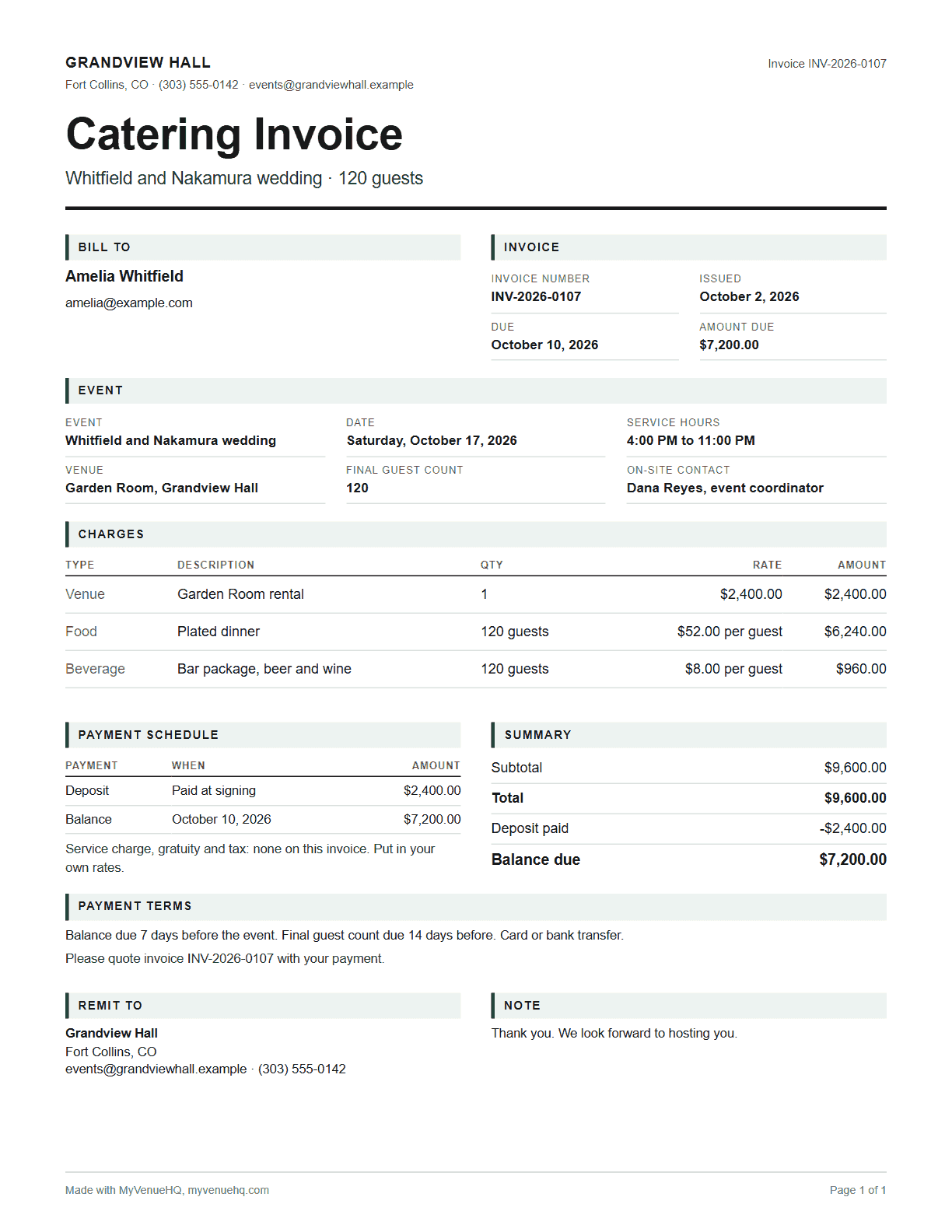
Catering invoice template filled in for a 120 guest wedding: venue rental, plated dinner and bar package per guest, total $9,600, deposit paid and balance due
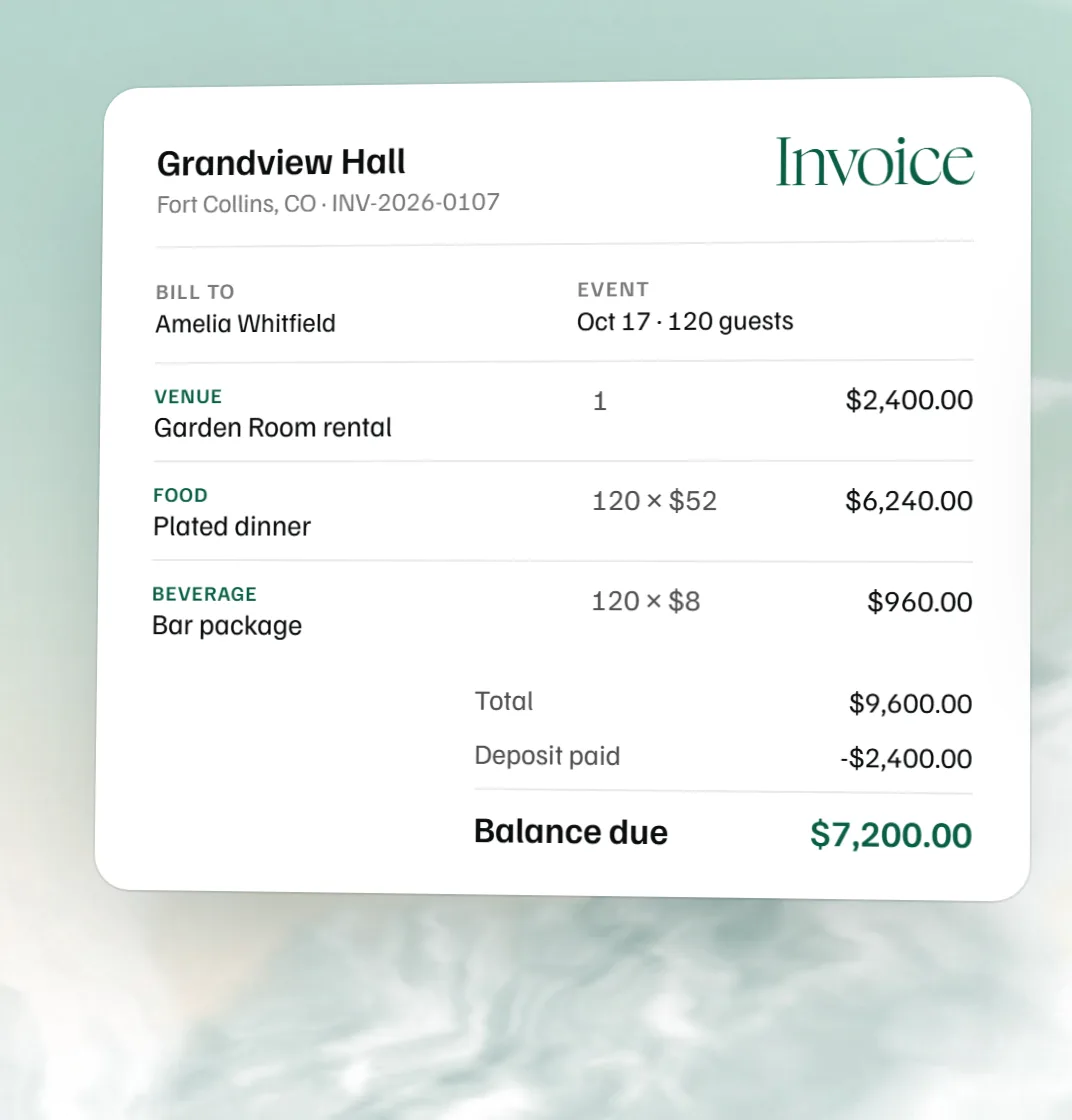
The template’s example invoice: $9,600 for 120 guests, $2,400 paid, $7,200 due.
A catering invoice for 120 guests with a $7,200 balance due, beside the same invoice in MyVenueHQ with the deposit received and the signed contract.
Fill it in free here. In MyVenueHQ the same invoice has a card pay link, and the event shows paid the moment the client pays.

Catering invoice example

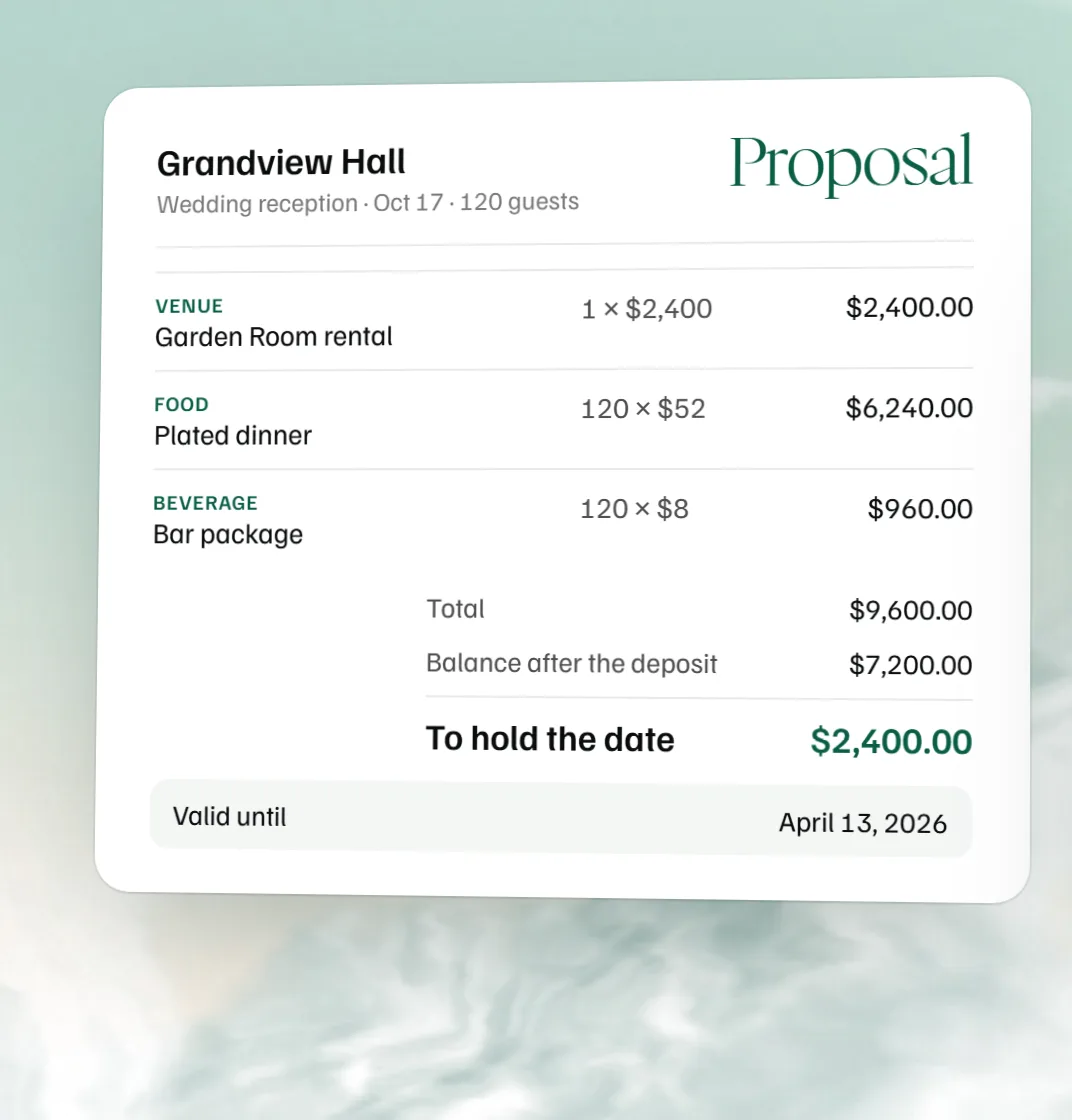
The template opens with this one filled in. Grandview Hall is billing the Whitfield and Nakamura wedding on October 17 for 120 guests in the Garden Room:

ChargeQtyRateAmount
Garden Room rentalflat$2,400.00$2,400.00
Plated dinner120 guests$52.00 a guest$6,240.00
Bar package, beer and wine120 guests$8.00 a guest$960.00
Total$9,600.00
Deposit paid at signing-$2,400.00
Balance due October 10$7,200.00

Tax is left at 0 here because the rate and what it covers depend on your state. Put in your own and tick the lines it applies to. The balance falls due seven days out and the final count fourteen, both written into the payment terms.

What to include on a catering invoice

  • The header. Your business name and contact details, a tax ID if you have one, a unique invoice number that follows the last one, and the issue and due dates.
  • The client. Name, company, billing address, email and phone.
  • The event. Name, date, service start and end, the final guest count, the venue address and who the crew asks for on the day.
  • The charges. Menu packages or dishes per guest or per item, drinks with alcohol separate from soft drinks, staff by the hour, rentals such as linens, chafing dishes and tents, then delivery, permits and other fees.
  • The math. Subtotal, service charge, gratuity and tax, the total, deposits taken off, and the balance due.
  • The terms. When the balance is due, how to pay, late fees and the cancellation policy.

How to make a catering invoice, step by step

  1. Number it. Give it the next number in your sequence and the issue date.
  2. Add both parties. Your business details, then the client's name, billing address and email.
  3. Describe the event. Date, service hours, venue and the final guest count.
  4. List every charge. Food per guest, drinks, staff by the hour, rentals and fees, each with a quantity and rate.
  5. Do the math. Subtotal, service charge, gratuity and tax, then take off the deposit to show the balance.
  6. State the terms. The due date, how to pay, and the late fee and cancellation policy from your contract.
  7. Send it as a PDF or Word file and keep a copy with the event.

Deposits and the final balance

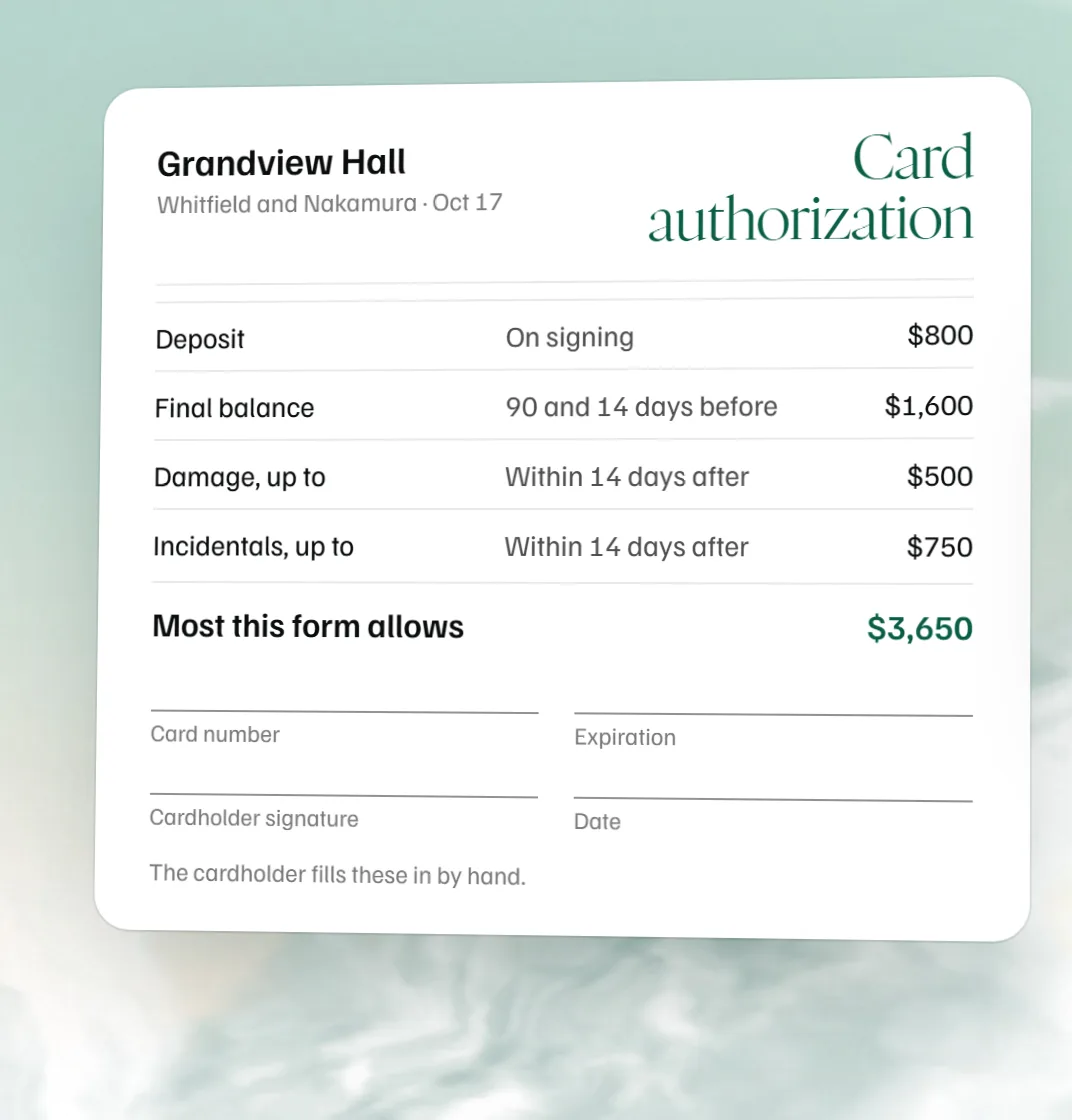
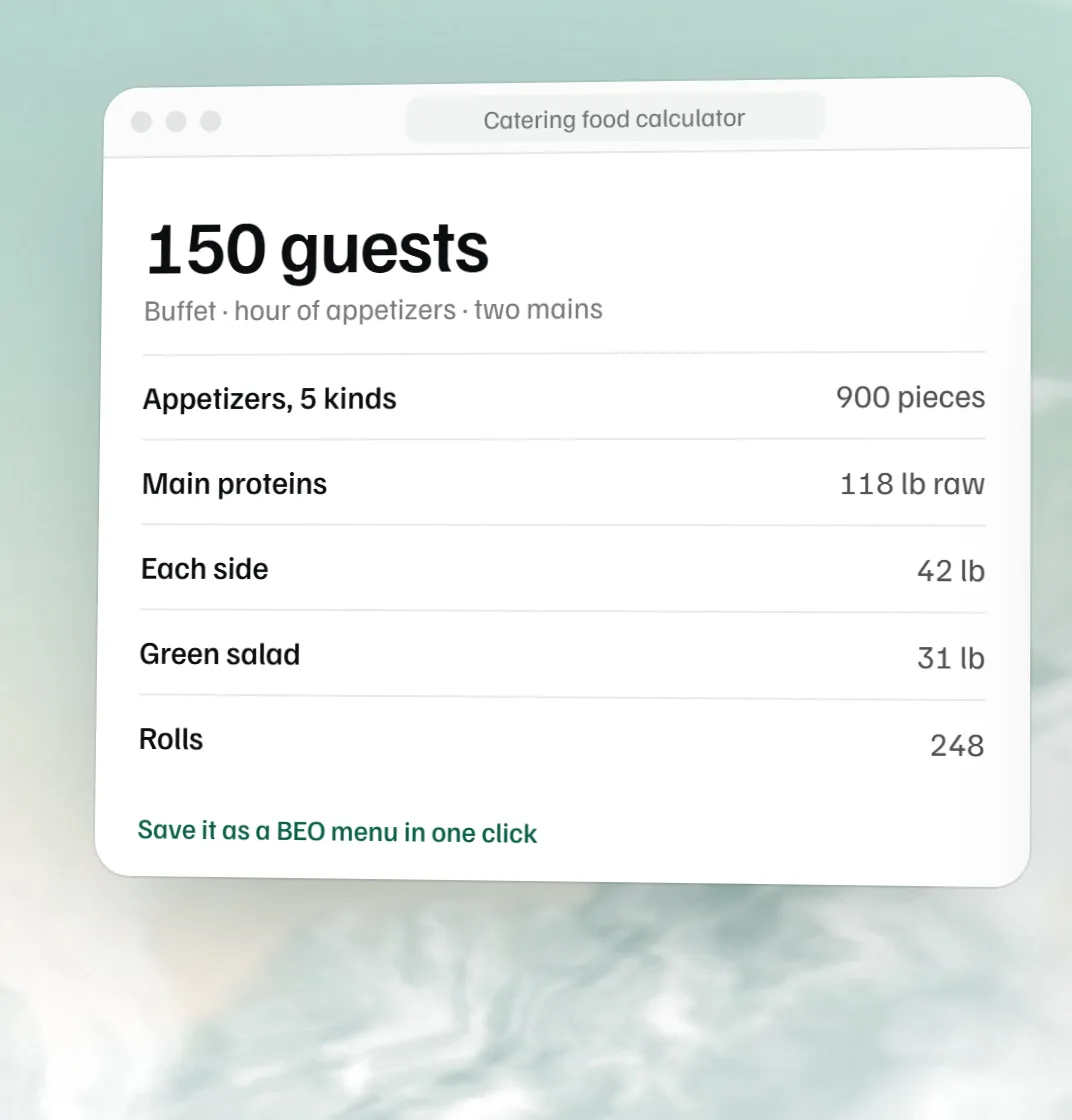
The deposit holds the date and pays for early prep, so it comes when the contract is signed. The final invoice is built on the confirmed guest count, not the estimate in the proposal, and shows what has already been paid. If the count moves after that, send a revised invoice rather than settling the difference on the night. The guest count change checklist lists who else needs the new number, and the free catering food calculator works out the food for it.

The free BEO template carries the final count, the menu and the timings the kitchen cooks to, so the invoice and the BEO show the same number.

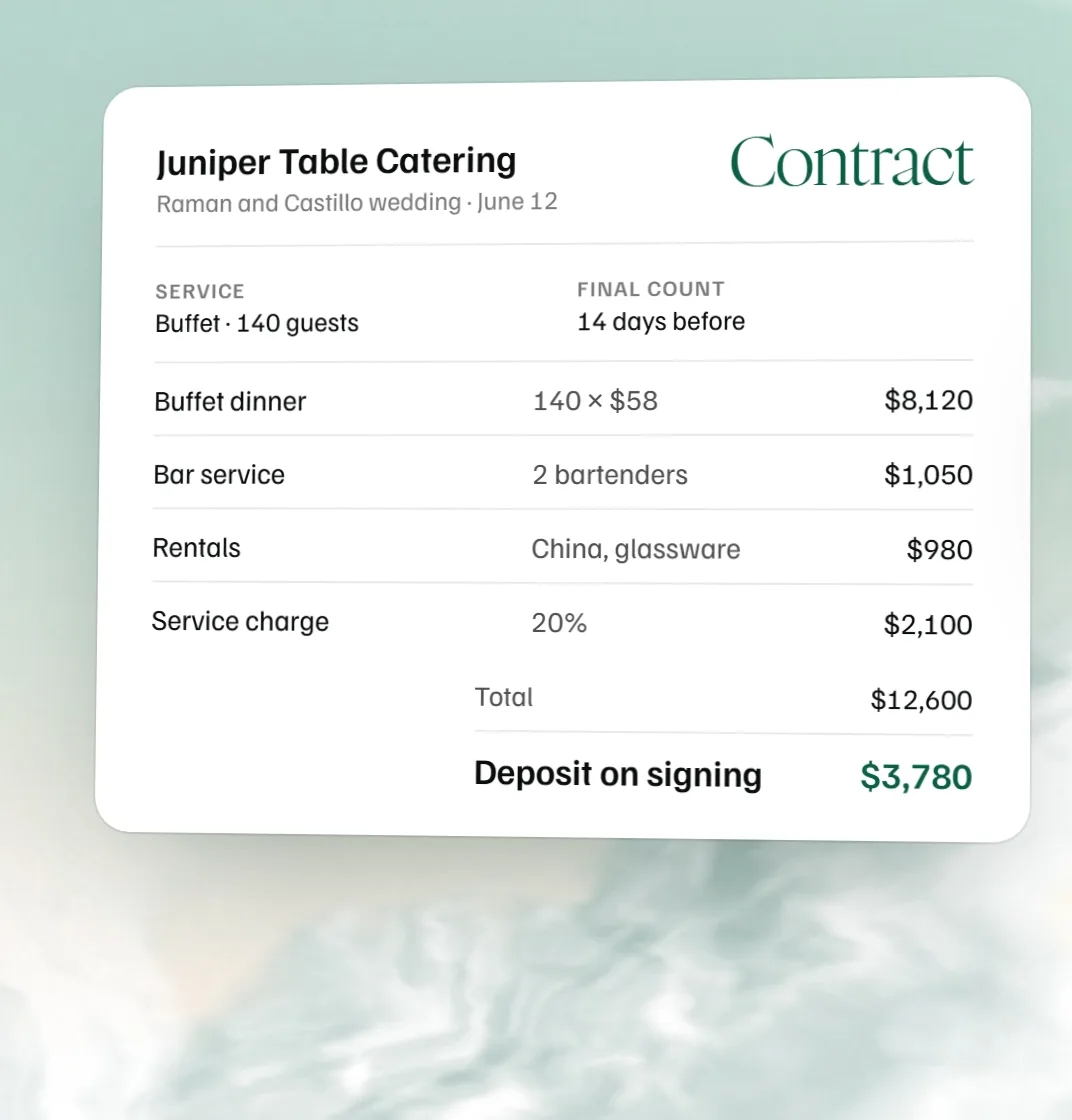
If the terms are not written down yet, the free catering contract template sets the deposit, the final count date and the cancellation steps that this invoice bills against.

Service charge, gratuity and tax

A service charge is a fee you set and keep; a gratuity is a tip for the staff. Label them separately and state both in the proposal, because a client who finds an unexplained 20 percent on the final bill will query the whole invoice. Sales tax rules for food, alcohol, rentals and service charges differ from state to state, so this template taxes nothing until you tick a line, and it never taxes the gratuity. Check your state's department of revenue for the rate.

Catering invoice template in Word, PDF or Excel

Download Word for an editable .docx of the invoice you filled in; it opens in Word, Google Docs and Pages. Blank Word template gives you an empty one with ruled lines. Print or save PDF sends a clean one-page invoice, and the CSV opens in Excel or Google Sheets if your bookkeeper wants the lines.

Quote, proposal and invoice

The quote is the number, the proposal is the plan (menus, staffing, the order of service), and the invoice is the bill once the client has agreed. If you are still at the proposal stage, the event proposal template covers what goes in one, and venue rental agreement clauses covers the deposit and cancellation terms the invoice should repeat.

Invoicing weddings, corporate events and private parties

For a wedding, add the planner as a contact, list any special requests, and put added services on their own lines so the couple can see what changed since the proposal. Corporate clients care about meal types, the guest count and how it can be adjusted, and staff or AV; leave room for their purchase order number in the notes. A private party usually needs only the menu, staff and the balance.
Send it and get paid in MyVenueHQ

A template is fine for one event. When invoices are weekly, MyVenueHQ keeps the invoice on the event with the proposal, contract and BEO, so the guest count is typed once. Deposit and balance sit on one invoice, the client pays by card into your own Stripe, Square or PayPal account, and the event shows paid the moment they do. Invoices, floor plans and BEOs are all on the free plan; contracts with e-signature are on the Venue plan, $49 a month with a 14-day trial.

Add this catering invoice template to your website

Venues, planners and wedding blogs can put it on their own site for free. Paste this where you want it; it works in WordPress, Squarespace, Wix and plain HTML. Nothing is tracked about your visitors beyond page views.

Preview it

Catering invoice questions.

What to include on a catering invoice?

Your business details and a unique invoice number, the issue and due dates, and who you are billing. Then the event: date, service hours, final guest count, venue and the on-site contact. Itemize every charge with a quantity and rate (food per guest, alcohol on its own line, staff by the hour, rentals, delivery and other fees) and finish with the subtotal, service charge, gratuity, tax, deposits already paid, the balance due and how to pay it.

How to make an invoice for catering?

A catering invoice (or catering bill) is built top down, so fill in this template in order: your business, the client, the invoice number and dates, then the event and its guest count. Add a line for each charge; per-guest lines multiply by the guest count on their own. Put in your own service charge, gratuity and tax rates and the deposit you took, then print it to PDF or download it as Word.

What are the 5 most important things to put on an invoice?

A unique number and the date; who it is from and who it is to; what you are charging for, with prices; the total and the balance due; and when and how to pay. A catering invoice adds the event date, the final guest count and the venue, because that is what the client checks first.

How do deposits and final payments work on a catering invoice?

Most caterers and venues split the bill. A deposit at booking holds the date and covers early preparation, and the final invoice uses the confirmed guest count and service changes, takes off what has been paid, and shows the balance with its due date. Many send the balance as its own invoice a week or two before the event.

What is the difference between a catering quote, a proposal, and an invoice?

A quote estimates the cost and usually is not binding. A proposal lays out the service itself: menus, staffing and how the event will run. An invoice asks for payment and itemizes the actual charges and terms, after the client has agreed.

How do you invoice when the guest count changes?

Issue a revised invoice, or a separate one for the extra, and get the client to confirm the change in writing. In this template every per-guest line follows the guest count, so changing 120 to 130 adds $600.00 to the example's total and its balance straight away.

Can I download a catering invoice template in Word?

Yes. Download Word gives you the invoice you filled in as an editable .docx that opens in Word, Google Docs and Pages, and Blank Word template gives you an empty one to fill in by hand. Print saves a PDF, and the CSV opens in Excel or Google Sheets.

Bill the count you served.