Contracts and deposits go wrong when the pieces live in different places: the signed PDF in a folder, the deposit in a payment account and the schedule in someone’s head. This guide gives six steps for keeping them together: a fixed order of documents, two kinds of deposit written separately, one payment schedule, amendments that change the total, evidence kept in one place, and a reminder for every due date. The clause wording is in our guide to rental agreement clauses. This guide covers how to organize what the clauses create. It isn’t legal advice.
1. Keep a fixed order of documents
Every booking should move through the same documents in the same order: proposal, contract with the payment schedule and cancellation terms, deposit invoice, amendments if anything changes, final invoice, and a closing note once the security deposit is settled. Use the same names every time, such as 2026-10-17 Okafor wedding, so the folder sorts by date. A booking in the middle of this order should be recognizable at a glance by which documents exist.
2. Write two kinds of deposit, separately
A booking deposit holds the date and counts toward the rental fee. A security deposit covers damage or extra cleaning and is returned under the contract. They have different purposes and different refund rules, so give each its own line on the contract and the invoice, with its own label, such as “Booking deposit” and “Security deposit (refundable)”. Say in the contract whether the booking deposit is refundable, until which date, and what happens after.
The Legal Information Institute’s entry on liquidated damages describes an exact sum, or a formula for one, that a party will owe if it breaches a contract. It says the clause should be clearly stated in the contract and agreed before the parties enter it, and that courts won’t impose liquidated damages if the clause is punitive, illegal, unconscionable or contrary to public policy. Rules on deposits vary by state, so have an attorney in your state review your wording.
3. Put the payment schedule in one table
Count each payment back from the event date and put the dates in the contract. The example below is invented. The last payment takes whatever the others leave, so the schedule always adds back to the total.
| Payment | When | Share | Amount |
|---|---|---|---|
| Booking deposit | At signing | 25% | $3,000 |
| Second payment | 60 days before the event | 50% | $6,000 |
| Final balance | 14 days before the event | 25% | $3,000 |
| Security deposit | With the final balance | Not part of the total | $500, refundable under the contract |
The shares, the dates and the security deposit are yours to set from your costs and your market. Our free invoice template puts a deposit and balance on one document, and the credit card authorization form covers charging a card when the client isn’t there.
4. Change the total with an amendment
When the guest count, the date or the menu changes after signing, write an amendment that shows the old and new wording, the new total and the new balance, and have the client sign it. Don’t change the schedule by email alone. Our contract amendment template and guest count change checklist have the lines.
5. Keep the evidence in one place
If a client disputes a card payment, you will need the paperwork quickly. Stripe’s documentation says you have a limited window to respond, usually 7 to 21 days depending on the card network, and that if you don’t respond before the deadline you automatically lose the dispute. It says banks evaluating a dispute won’t review external content, so links to click aren’t evidence, and that you only get one opportunity to submit your response. Keep these four in one folder per booking and in one file you can attach: the signed contract, the invoice with the payment schedule, the receipts, and your messages with the client. Test it once. Pick an old booking and see whether you can assemble all four in ten minutes.
6. Put every due date in a reminder
A payment schedule only works if someone notices the date. Put each due date, the guest-count deadline and the security deposit return date on a calendar the day the contract is signed, with the booking’s name in the title. Where a tool can send the invoice or the reminder when a booking changes status, let it, and still check the list weekly. Our guide to managing multiple venue calendars has a weekly audit you can add this to.
Where MyVenueHQ fits
This section is about our own product, so weigh it as a vendor’s description. In MyVenueHQ you start a contract from your own template, attach it to the event, and the client signs from a link on their phone without an account. A deposit and a balance go on one invoice, paid by card into your own Stripe, Square or PayPal account. The client portal shows their documents and invoices, and automations can send the contract, the invoice or a follow-up when a booking changes status. Contracts with e-signature need the Venue plan at $49 a month. Invoices and deposits work on the free plan, which allows 10 events a month. See pricing.
Next step
Open your last three bookings and check whether each has the four items from step 5 in one place. Fix the folder that doesn’t, then use the same folder for the next booking.
The schedule is invented to show the arithmetic. Deposit rules vary by state. This isn’t legal advice.
Sources
- Legal Information Institute, liquidated damages. The definition and when courts won’t enforce such a clause. Read October 16, 2026.
- Stripe documentation, respond to disputes. The response window, the loss on no response, the evidence rules. Read October 16, 2026.
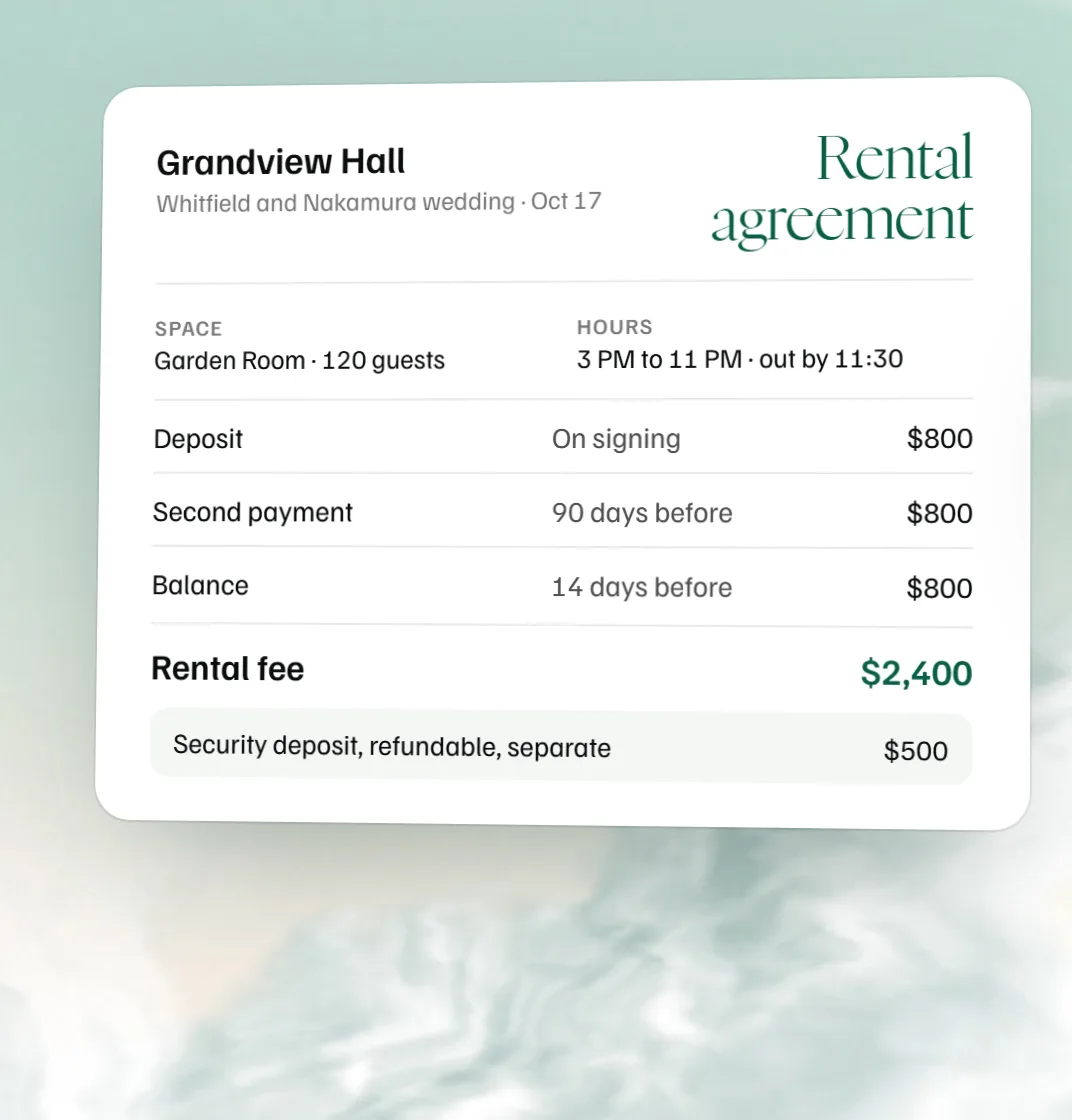 Free venue rental agreement template
 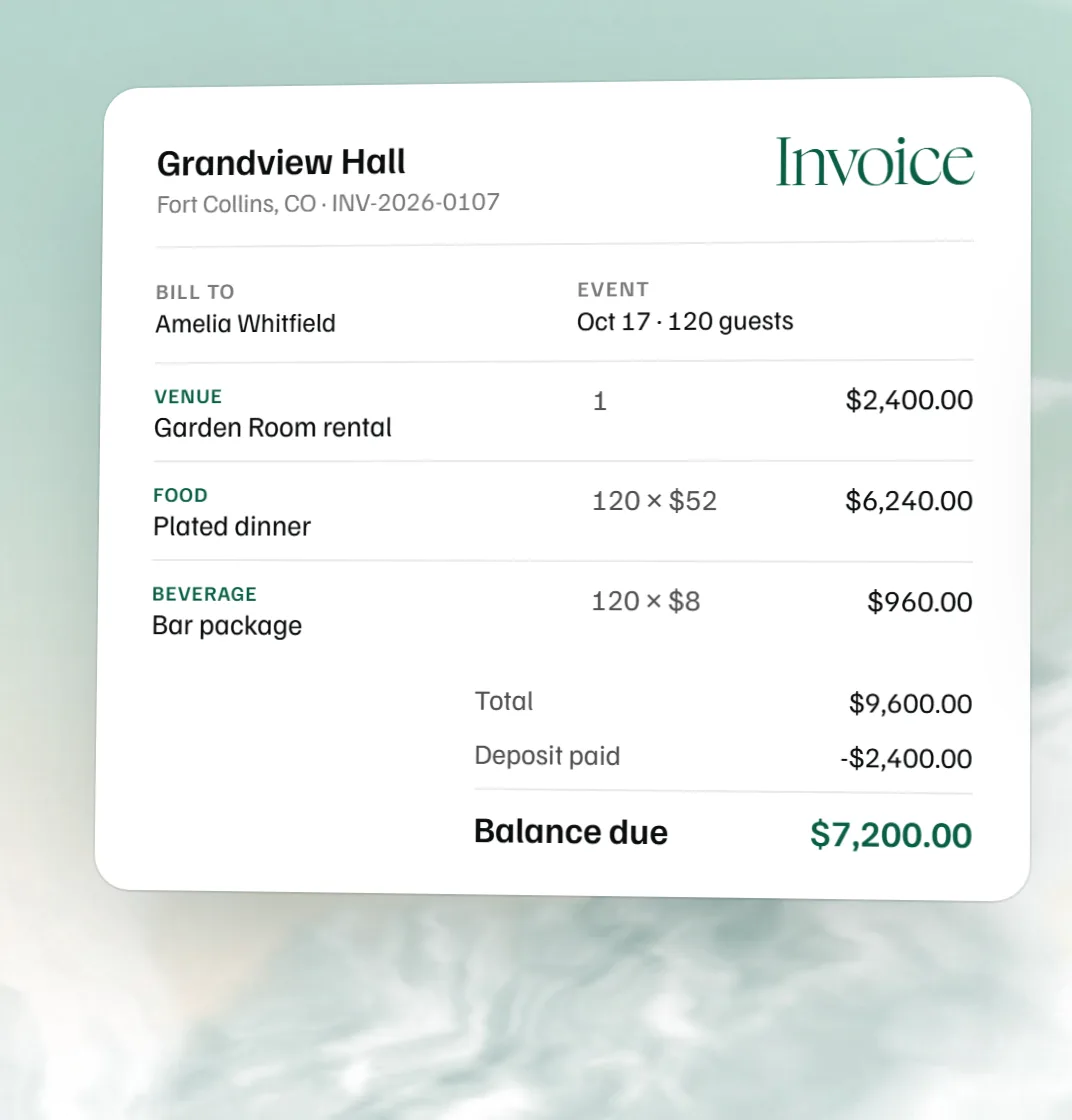 Free catering invoice template
 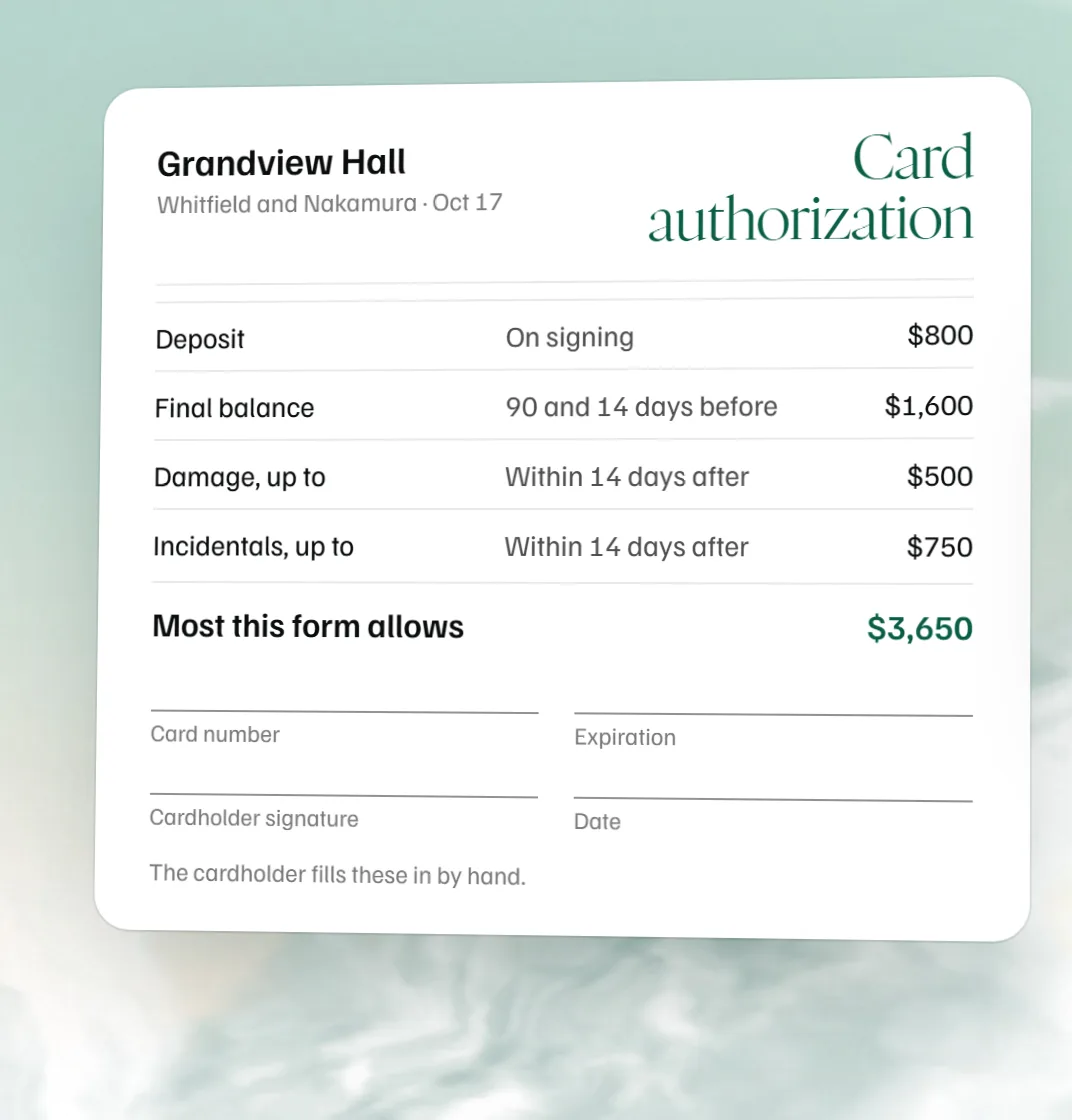 Free credit card authorization form
 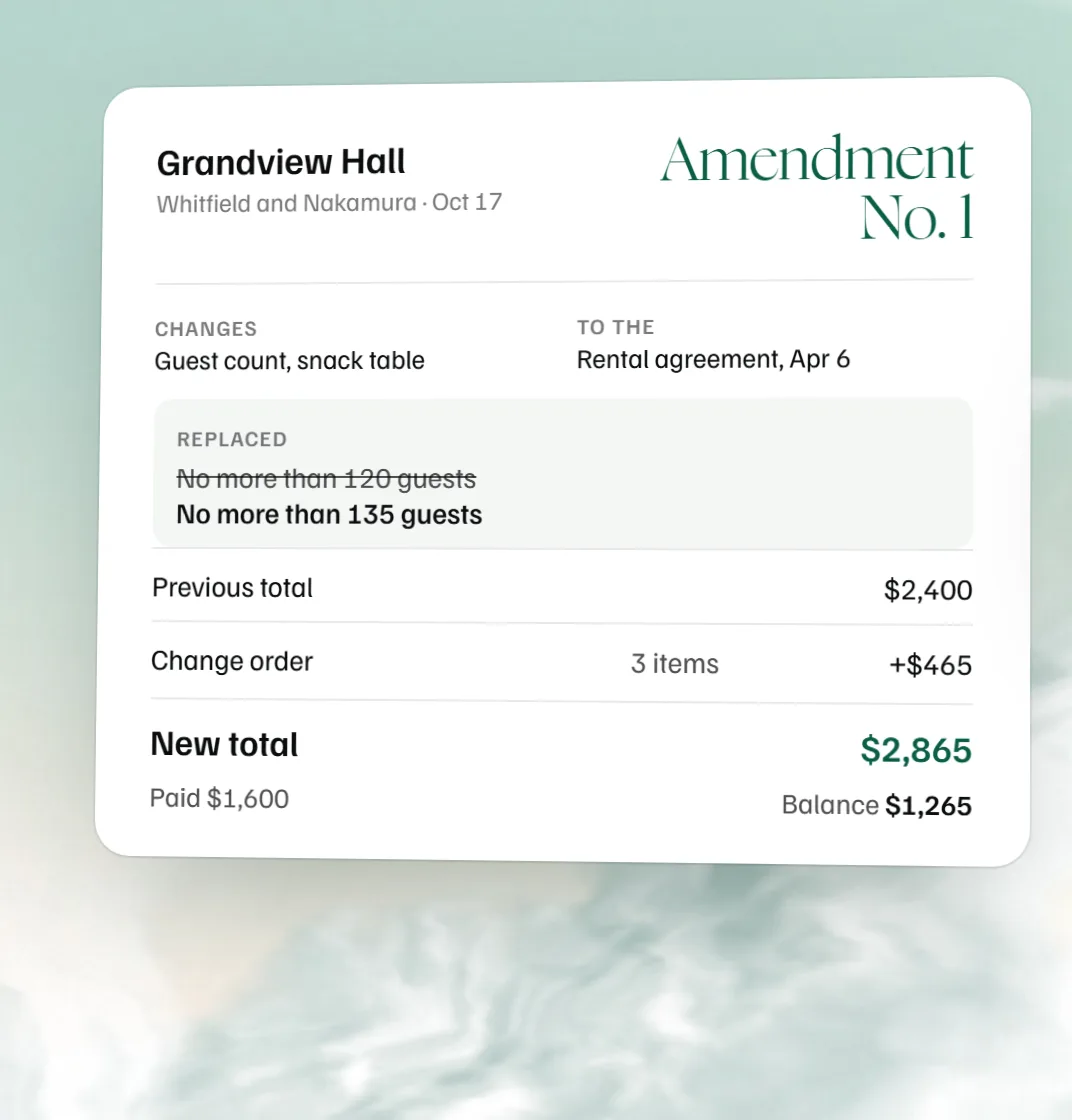 Free contract amendment template