The inquiry reply in five steps
- Read for the facts. Pull out the date, the guest count, the type of event and the question they asked. Note anything they asked twice.
- Check the date on your calendar. Do it before you write a word, and look at the room and the hours, not only the day. An afternoon shower and an evening wedding can share a Saturday.
- Price it from your own sheet. Use your rate for that date type and that guest count, with the service charge and tax. If you aren’t sure yet, plan to say when you’ll send it.
- Draft the reply. By hand, from a template or from an AI draft. It has to say whether the date is open, give the price or when it is coming, and offer one next step.
- Send it yourself, then set the follow-up. Put the reminder in before you close the email, while you remember what you promised.
What to check before you reply
An AI draft repeats the facts it was handed and fills every gap with what is typical. Four facts decide whether your reply is true, and none of them should be left to a guess.
| Fact | Where it comes from | Why the AI must not guess it |
|---|---|---|
| Is the date open | Your calendar, by room and by hour. Count tentative holds. | It has no view of your calendar unless you give it one. A wrong “yes” is a promise you now have to keep. |
| Price | Your rate sheet for that date type and guest count, with service charge and tax. | It will produce a plausible number. A wrong figure in writing is the one the client holds you to. |
| Capacity | The setup you plan to use, and the limit your local fire authority sets for the room. | A seated dinner, a cocktail hour and a ceremony hold different numbers, and the code figure is the one that counts. |
| Policies | Your own contract and house rules: catering, alcohol, end time, noise. | Left blank, it will supply the rules a typical venue has, which may not be yours. |
If a fact isn’t in what you gave the AI, the draft should say you will confirm it. Tell it so in the prompt; it won’t volunteer the gap.
A reply template you can edit
This wording is ours; change any of it. Square brackets are blanks. The table under it says who fills each part.
Subject: [Event type] on [date] at [venue name]
Hi [first name],
Thanks for writing to [venue name] about a [event type] on [date] for about [guest count] guests.
Date line: “[Date] is open on our calendar for [room name], [start time] to [end time].” Or: “[Date] is taken, but [second date] and [third date] are open for [room name].”
Fit and price line: “For [guest count] guests, [room name] works. The rental for that date is [price], which covers [what’s included].” Or, if you haven’t priced it yet: “I’m putting the full price together for your date and will send it by [day].”
Next step: “The quickest way to see the space is a tour. I have [time one] or [time two] this week. If you’d rather start with questions, reply here and I’ll answer in writing.”
[Your name], [venue name], [phone or booking link]
| Part | Who fills it | Who confirms it |
|---|---|---|
| Names, event type, guest count | The AI draft, from the client’s email | You, against the email |
| Date line | The AI draft, from the calendar result you give it | You, by room and by hour |
| Price and inclusions | You. Leave it blank for the AI. | You alone |
| Next step | The AI draft, using tour times you supply | You, because the times are real |
| Tone, opening, order | The AI draft | You, in a quick read |
What an AI draft is good at, and where it goes wrong
It is good at tone: it can match the couple’s own register, warm for a wedding and brisk for a corporate planner. It also puts the answer in the first line instead of the third paragraph, offers one clear next step, trims a long reply, and notices when the client asked two questions and you answered one.
It is bad at prices, at availability by room and time, at capacity, at policies, and at anything that wasn’t in the data you gave it. The trouble is the voice. A guess reads exactly like a fact, so a wrong answer doesn’t look wrong. Suppose a client asks whether Friday at 6 p.m. is free and the draft replies that it is, and that the room seats 180. Both claims need your check before that email leaves, and nothing on the screen tells you which is invented.
Keep a person sending
Draft, edit, send yourself. The reply is a statement from your venue, and a date promised in writing is awkward to take back. Sending from your own email also puts the client’s answer in your inbox, not in a tool you have to remember to check.
The prompt matters as much as the edit. Give the facts and the exclusions together, for example: “Write a reply to this inquiry. The date is open for the Garden Room, 4 to 11 p.m. I will confirm the price separately, so state none. Say nothing about capacity or policies. The next step is a tour on Tuesday at 5 or Thursday at noon. Keep it under 120 words.” Then read the result once for anything you didn’t tell it. Our guide to AI for event planning has the longer version of this prompt pattern, and ChatGPT prompts for event planners has two reply prompts to copy, one for an open date and one for a taken date.
When to follow up
This is the schedule we use. It comes from no study, so change the gaps to suit your sales cycle; a wedding booked a year out can wait longer than a party next month.
- Reply the same business day. A few hours is better, because the client may have written to several venues.
- Two business days of silence: send a short nudge. Confirm the date is still open before you say it is.
- Five days: send something useful instead of “just checking in”: a proposal, a floor plan, a tour time.
- Ten days: close it out. Say you will release the hold on [day] and that they can write back any time. Then stop.
When they want to go ahead, send the numbers itemised. Our guide to writing a venue proposal covers what goes in it, and the free event proposal template totals the lines, the deposit and the expiry date. To set the price you quote in the first place, read the wedding venue pricing guide. To have AI word the proposal without it inventing prices, see AI event proposal.
What MyVenueHQ’s assistant does with inquiries
MyVenueHQ has an AI assistant for venues. For inquiries it does these things:
- Drafts a reply. A button on an inquiry writes a subject and a message for you to edit. It uses your calendar to say whether the date is open; code makes that call from your events and closures, and the AI only words it.
- Pre-fills an inquiry from a pasted email. Paste a client’s email into a new inquiry and it fills in the name, email, phone, event type, date, guest count and a short description. Nothing is saved until you check it and press save. It reads the text you paste; it doesn’t connect to your inbox.
- Gets a hold or a reminder ready. It can prepare a hold on an open date, which turns the inquiry into a tentative event, and a follow-up reminder on an event, with a due date you choose. The reminder is a note to you that shows on Today the day it is due. It doesn’t email the client.
Inquiry
Dana Hendricks
Hi, we are planning a company dinner for about 60 on Saturday, October 17. Is the Garden Room free that night, and what would it cost?
Draft a replyReply to Dana Hendricks
Saturday, October 17 at Grandview Hall
Hi Dana, thank you for thinking of Grandview Hall. Saturday, October 17 is open. I will confirm the price for 60 guests and send it today. Would you like to see the Garden Room this week? Best, Maya
Drafted by HQ. You send it from your own email.
Nothing happens until you press the button, and MyVenueHQ doesn’t send your reply: you open the draft in your own email app, or copy it.
The date check works by the day: any event or closure on that date counts as taken, whatever the room or time, and so does a tentative hold, so a venue with two rooms should check the room itself. The draft contains no prices, packages, capacity or policies; it says you will confirm them. The assistant works in the web app, and it writes in English; we haven’t set up its writing for other languages. Every plan has a monthly allowance of assistant actions, and the Free plan’s is small.
Each request asks its AI provider not to keep your text or use it to train models, and we don’t use your content to train any model. The privacy policy has the full wording. A venue owner can turn the assistant off for the whole venue, and any team member can hide it for themselves, in Settings. For the wider picture, see AI venue management software.
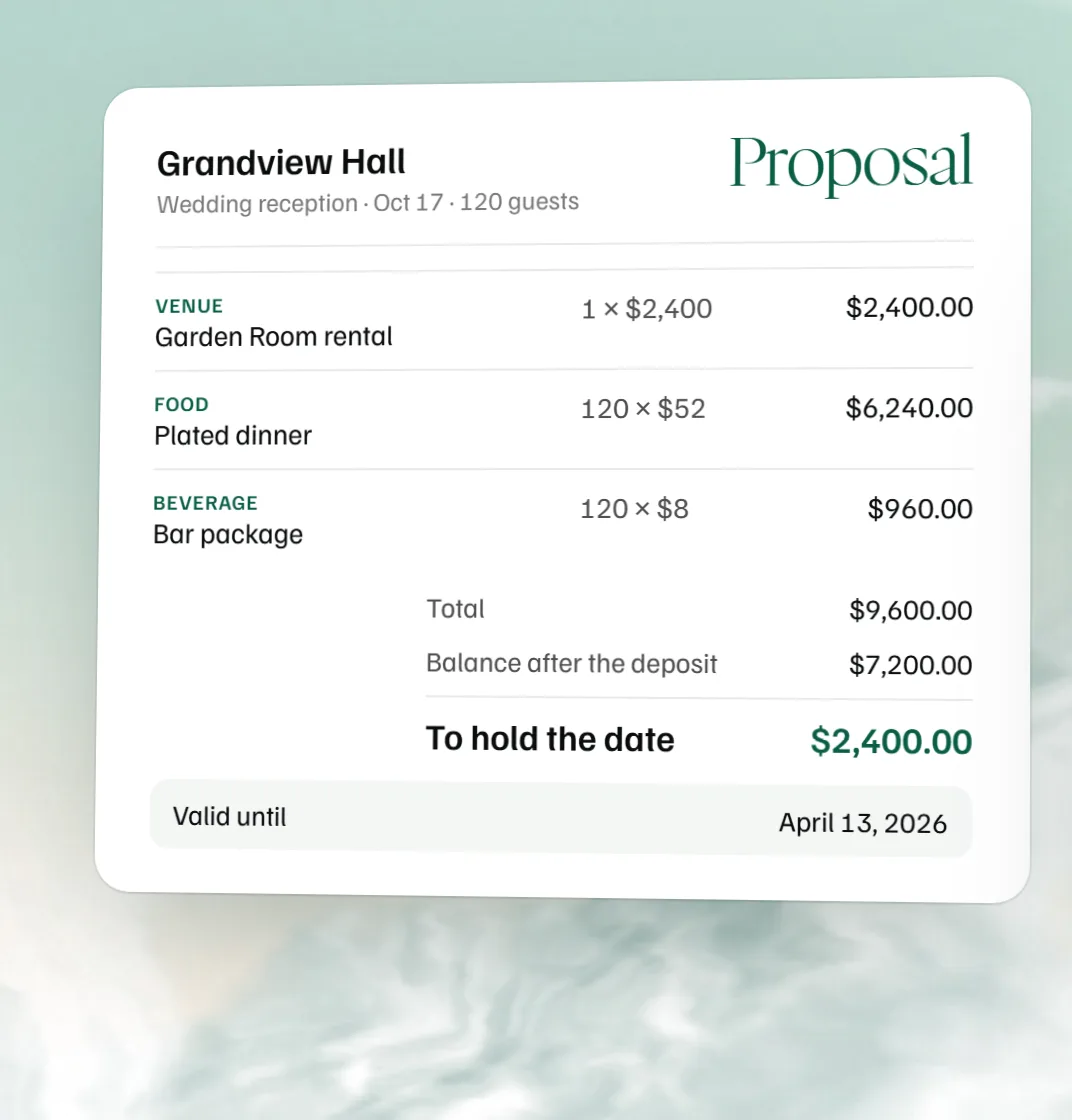 Free event proposal template
 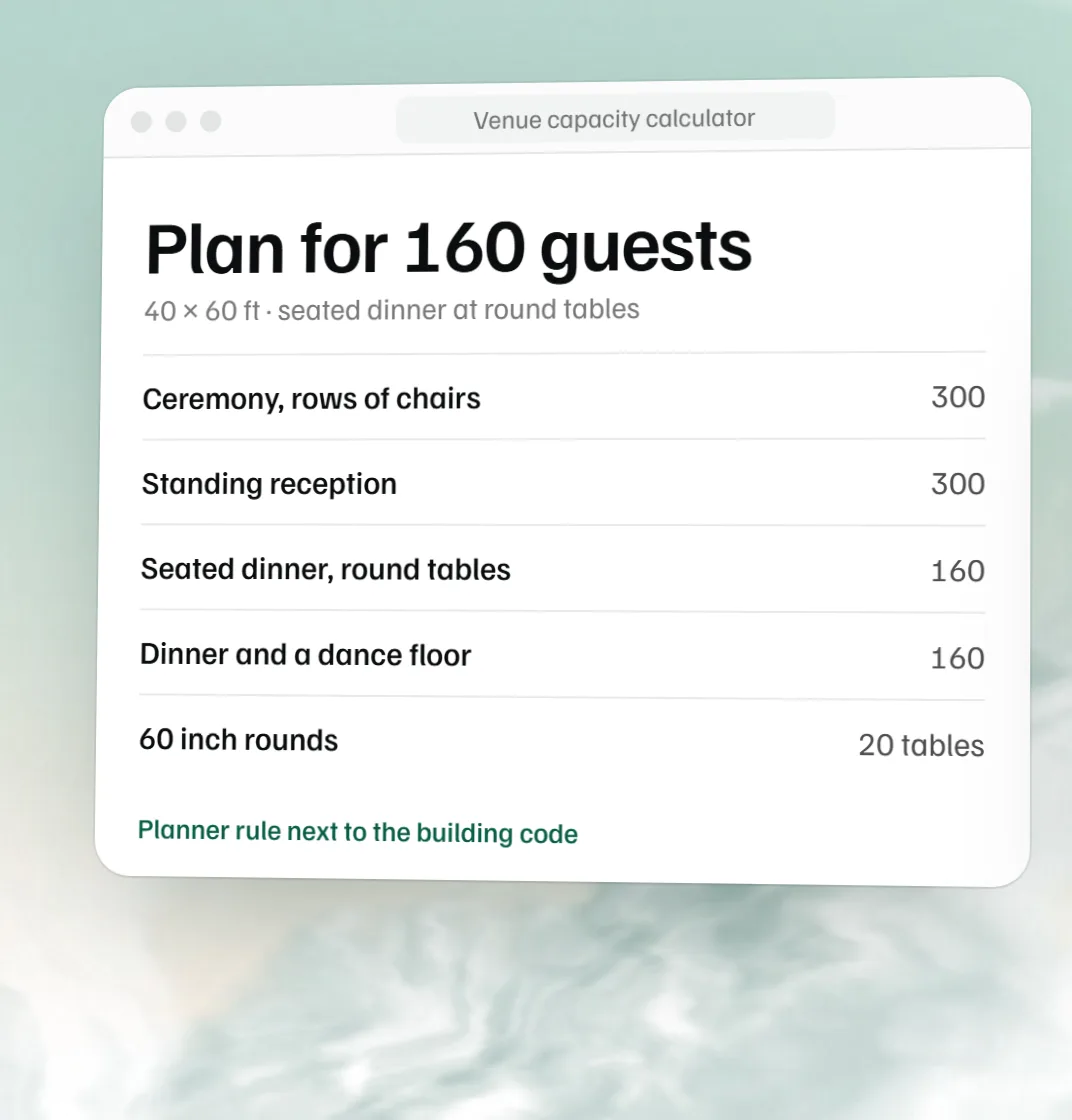 Free venue capacity calculator
 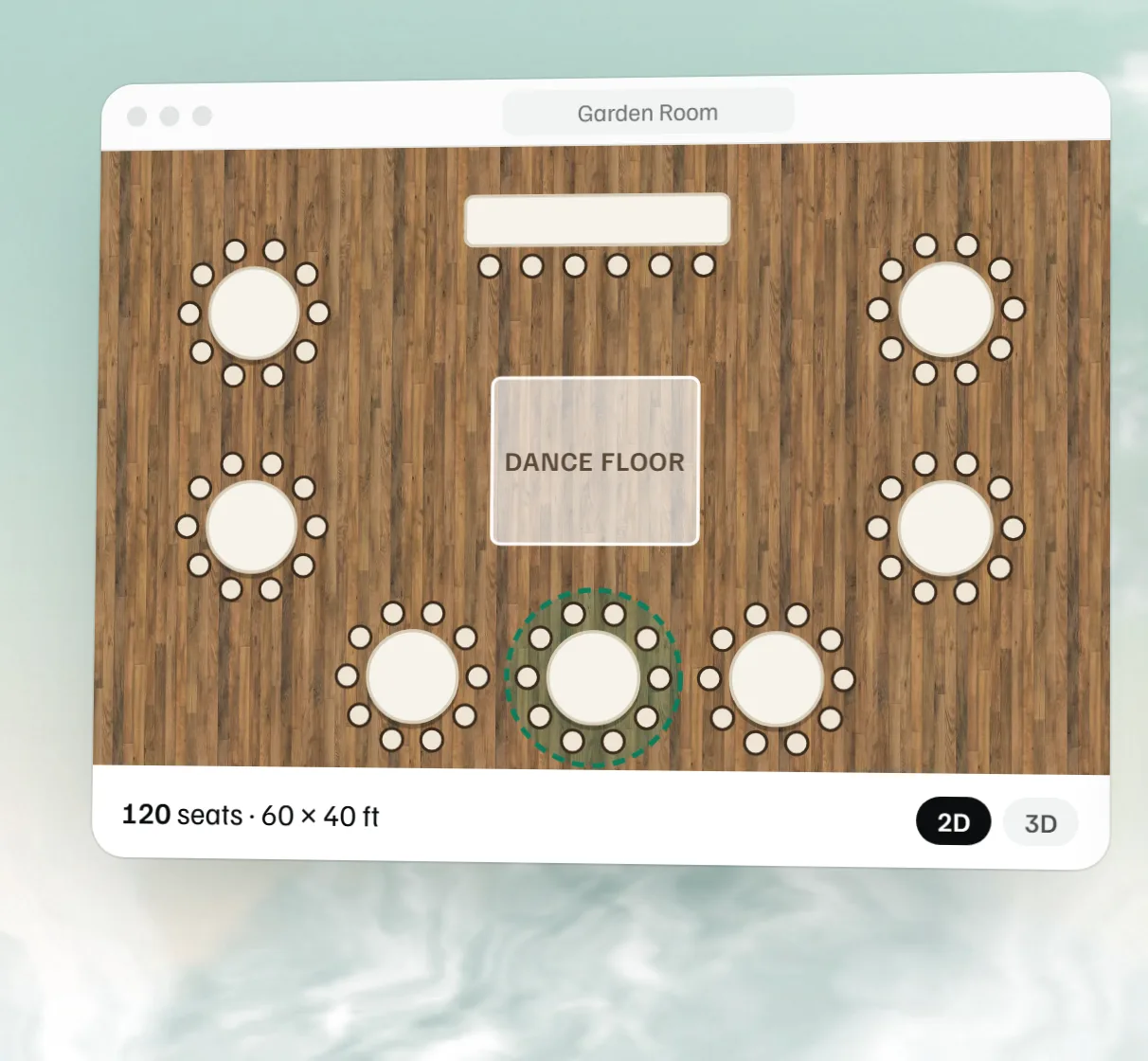 Free event floor plan maker