Every CRM keeps contacts, moves them through stages and reminds you to follow up. A venue also sells something a typical CRM doesn’t model: a room on a date. This guide compares three kinds of tool, a general sales CRM, a CRM for service businesses and a venue-specific system, against the steps a venue’s sale depends on. It ends with one test that sorts them quickly. How MyVenueHQ fits is in the last section.
What a venue’s sale depends on
A couple’s inquiry has a date, a guest count and a budget. Whether you can say yes depends on a room being free on that date, and a yes turns into a hold, a proposal, a contract with a deposit, a payment schedule, a floor plan and an event sheet for the kitchen. A CRM that tracks the relationship and stops there leaves the date, the money and the paperwork in other places.
Three kinds of tool, compared on what their own pages say
| What the sale needs | General sales CRM (HubSpot, free CRM) | Service-business CRM (HoneyBook) | Venue systems |
|---|---|---|---|
| Contacts, pipeline, tasks, email | Yes: contact, deal and task management, email templates, meeting scheduling, sales quotes. Free for up to two users and 1,000 contacts. | Yes: unlimited clients and projects on every plan, lead forms (two on Starter, ten on Essentials, unlimited on Premium). | Perfect Venue’s free plan lists a CRM. Tripleseat and MyVenueHQ are built around inquiries and bookings. |
| Rooms and availability by date | The page does not mention room inventory, date availability or double-booking prevention. Its meeting scheduler books meetings. | A help article says you can assign a space to a floor plan if you use Spaces in your Calendar. | The core of the product. Test it (see below). |
| Contracts and payments | Sales quotes and payment links are listed. E-signature contracts are not on the page. | Contracts with e-signatures and invoices, including recurring or custom schedules, are on every plan. | Perfect Venue’s free plan lists proposals and payments but not the e-sign option. MyVenueHQ includes proposals, e-signed contracts and invoices paid by card. |
| Floor plan and event sheet | Not on the page. | A floor plan builder with a 2D and 3D view, on certain Essentials plans and above. PDF is the only export. | Perfect Venue lists BEOs on its free plan. MyVenueHQ includes 2D and 3D floor plans and BEOs. |
| Price signal | Free tier, then Starter from $15 per seat per month, with a discount for new customers. | $29, $49 and $109 a month, billed yearly. | Perfect Venue from $199 a month per location billed yearly. Tripleseat from $375 per venue per month. See the pricing guide. |
A blank cell in a vendor’s page is not proof a product can’t do something. It means the page didn’t say so, and you should ask. HubSpot’s Enterprise tier lists custom objects, which a team could use to model rooms and reservations, but that is a build you own, not a feature you switch on.
Four questions that decide it
- Do you sell dates? If you sell something that isn’t tied to a room and a day, such as consulting or photography, a general or service-business CRM fits and a venue system is more than you need.
- Does one calendar need to say no? If two people can take inquiries, you need availability that blocks a held or booked date for everyone.
- Does each booking need documents that come from the booking? A BEO and a floor plan that change when the guest count changes save the retyping described in our guide to venue software vs spreadsheets.
- How many people and contacts? Free tiers have limits. HubSpot’s free CRM stops at two users and 1,000 contacts, and a venue that keeps every past couple can reach that.
One test that sorts them
Create a hold on one room for one Saturday. Then try to book that room and that date from a second login. If the tool lets you, a person must catch every conflict, and that is the job you wanted software for. Run the same test, with the other tests in our guide to choosing venue booking software, on every tool you shortlist.
Keep one system of record
Some venues run a general CRM for email and a venue tool for bookings. That works if one of them is the source of truth for each fact. The two will disagree about a contact’s phone number sooner or later, so decide which one wins and enter changes there first.
Where MyVenueHQ fits
This section is about our own product, so weigh it as a vendor’s description. MyVenueHQ keeps inquiries, contacts, events, proposals, contracts, invoices, floor plans and BEOs in one dashboard, grouped by booking, and the calendar shows every room. The free plan allows 250 contacts and 10 events a month. The Venue plan is $49 a month and adds contracts with e-signature and POS sales sync. Compare it with Perfect Venue and Tripleseat, or read about wedding venue software for the tour-to-contract path.
Next step
Run the hold test on the tool you use now. If it passes, keep it and fill the gaps. If it fails, you have your reason to move.
Vendor pages change. The facts here are what each page said on October 16, 2026. Check the vendor’s page before you rely on one.
Sources
- HubSpot, CRM. Free CRM features, the two-user and 1,000-contact limits, Starter pricing and the Enterprise custom objects line. Read October 16, 2026.
- HoneyBook, pricing. Plans billed yearly, contracts, invoices, lead forms, scheduling and the venue line. Read October 16, 2026.
- HoneyBook Help, using floor plans. The builder, the 2D and 3D view, Spaces, PDF export and the plan requirement. Read October 16, 2026.
- Perfect Venue, pricing. Free plan contents and paid plan prices. Read October 16, 2026.
- Tripleseat, packages. The starting price per venue per month. Read October 16, 2026.
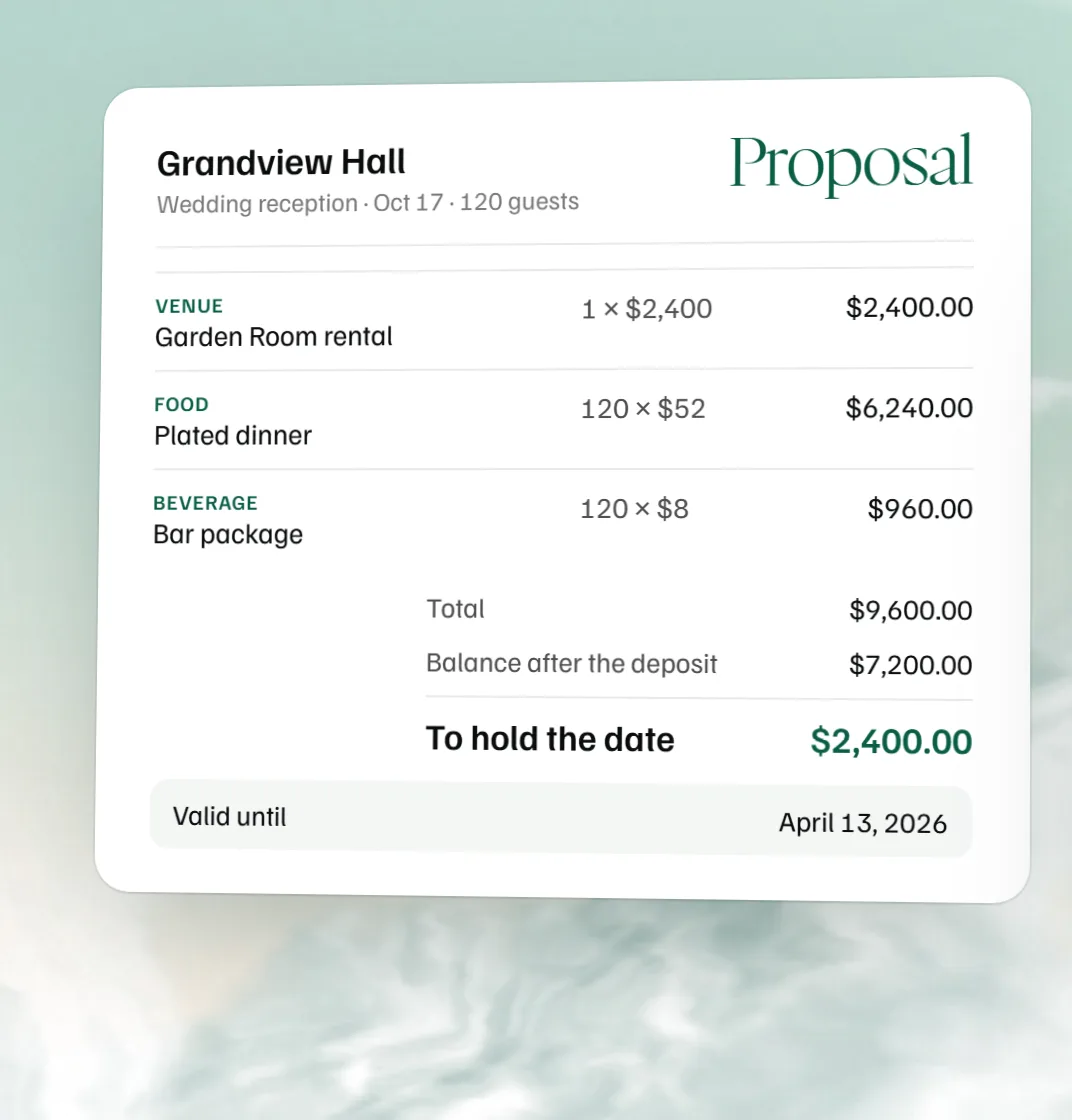 Free event proposal template
 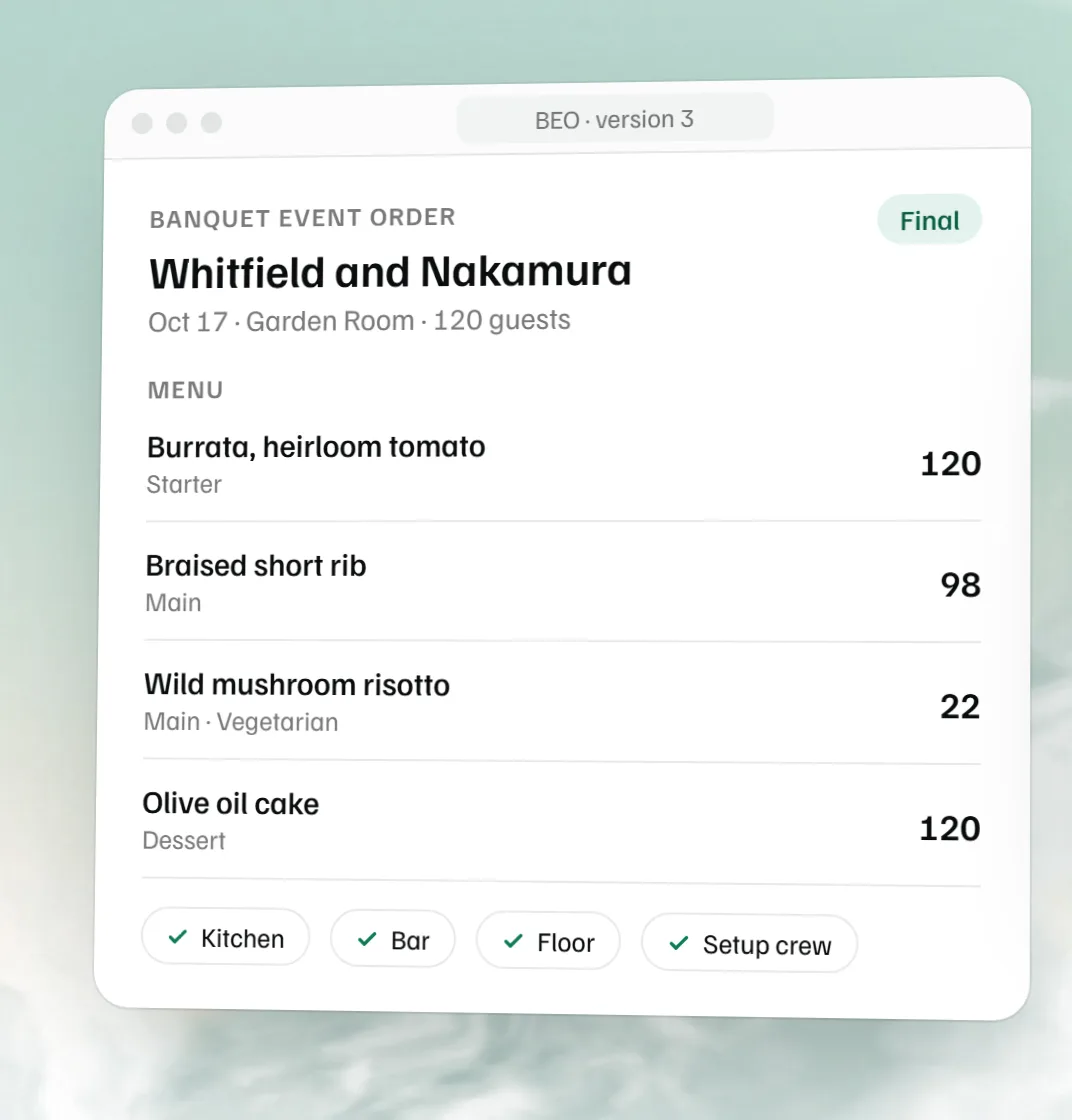 Free BEO template
 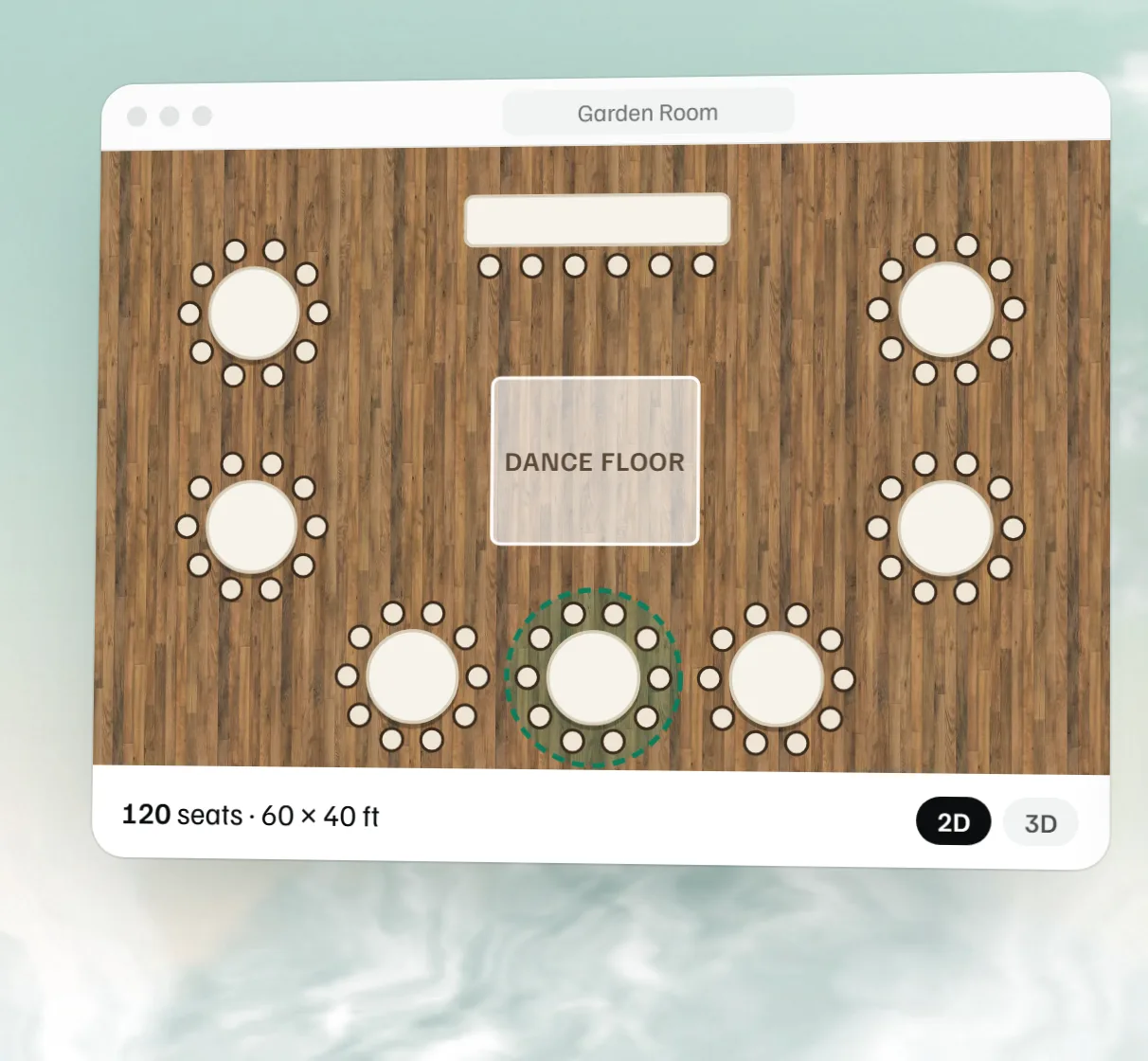 Free event floor plan maker