Free contract amendment template: fill it in, then download Word or PDF

A contract amendment is a short document, signed by both sides, that changes a signed contract without rewriting it. This free template adds changes to a signed event or venue contract, restates the new total and the payment dates, and downloads as Word or PDF with no account.

Your venue
Client
The contract you are amending
This amendment

What is changing? Tick all that apply; the document lists them.

The changes

Copy the wording you are replacing from the signed contract, exactly. For a new clause, leave the old wording empty.

Price and payments

Shown in the document when you tick price or payment schedule, or use the change order.

Payments still to come. They should add up to the new balance.

What stays the same

Grandview Hall

1200 Grandview Road · (970) 555-0142 · events@grandviewhall.example

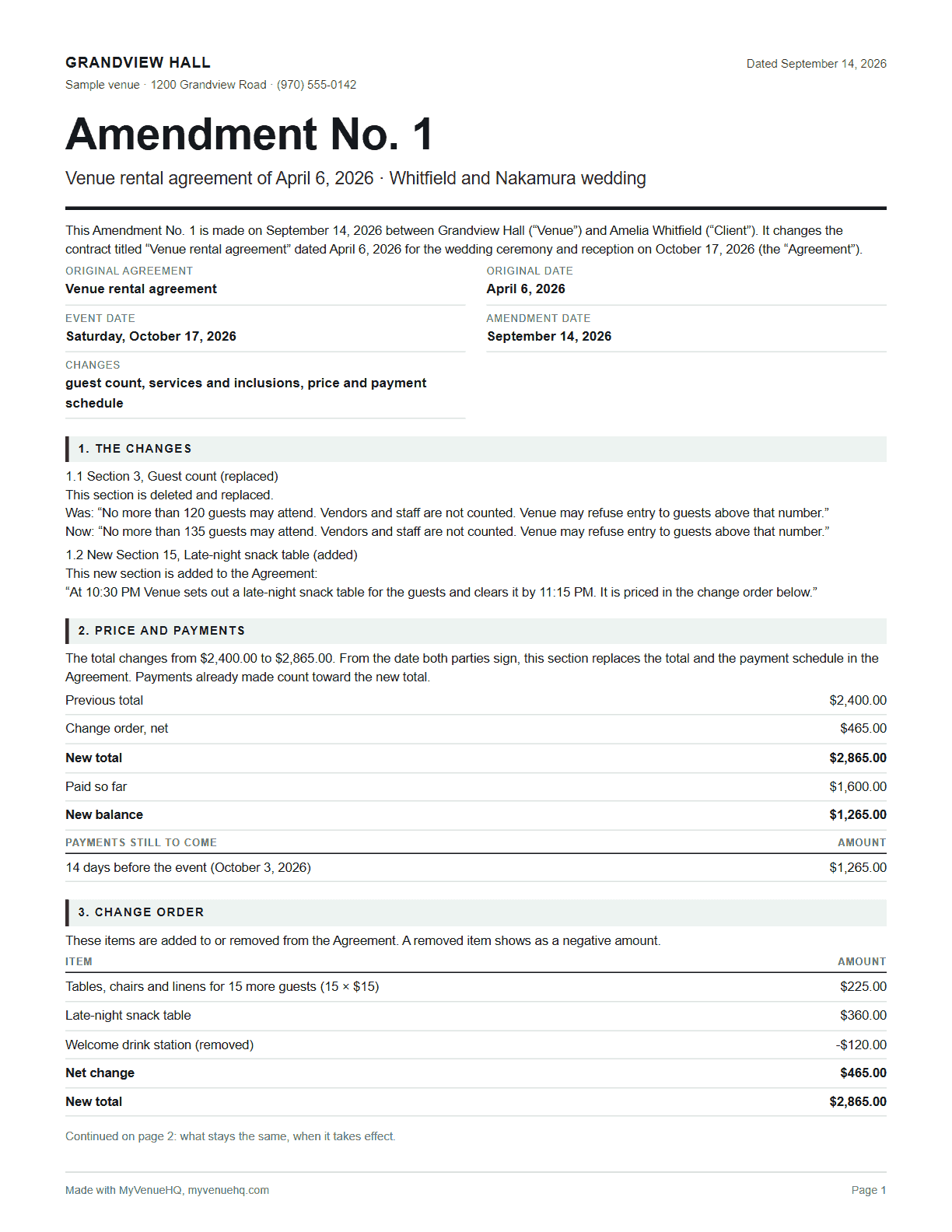
Amendment No. 1

This Amendment No. 1 is made on September 14, 2026 between Grandview Hall (“Venue”) and Amelia Whitfield (“Client”). It changes the contract titled “Venue rental agreement” dated April 6, 2026 for the wedding ceremony and reception on October 17, 2026 (the “Agreement”).

Original agreement
Venue rental agreement
Original date
April 6, 2026
Event
Wedding ceremony and reception
Event date
October 17, 2026
Amendment date
September 14, 2026
Changes
guest count, services and inclusions, price and payment schedule

1. The changes

1.1 Section 3, Guest count (replaced)
This section is deleted and replaced.
Was: “No more than 120 guests may attend. Vendors and staff are not counted. Venue may refuse entry to guests above that number.”
Now: “No more than 135 guests may attend. Vendors and staff are not counted. Venue may refuse entry to guests above that number.”

1.2 New Section 15, Late-night snack table (added)
This new section is added to the Agreement:
“At 10:30 PM Venue sets out a late-night snack table for the guests and clears it by 11:15 PM. It is priced in the change order below.”

2. Price and payments

The total changes from $2,400.00 to $2,865.00. From the date both parties sign, this section replaces the total and the payment schedule in the Agreement. Payments already made count toward the new total.

Previous total$2,400.00
Change order, net$465.00
New total$2,865.00
Paid so far$1,600.00
New balance$1,265.00
Payments still to comeAmount
14 days before the event (October 3, 2026)$1,265.00

3. Change order

These items are added to or removed from the Agreement. A removed item shows as a negative amount.

ItemAmount
Tables, chairs and linens for 15 more guests (15 × $15)$225.00
Late-night snack table$360.00
Welcome drink station (removed)-$120.00
Net change$465.00
New total$2,865.00

4. What stays the same

Everything in the Agreement that this amendment doesn’t change stays in force. That includes the event date, the space, the security deposit and the cancellation schedule.

5. When it takes effect

This amendment takes effect when both parties have signed it. Where it and the Agreement disagree, this amendment controls for the changes it lists. Attach a signed copy to the Agreement; the signed Agreement itself isn’t changed.

This amendment may be signed in separate copies, on paper or electronically; together they make one document.

Venue

Signature

Name: Dana Reyes, event coordinator

Date

Client

Signature

Name: Amelia Whitfield

Date

The payments still to come add up to the new balance.

Free with no account. Your amendment stays in this browser and is never sent anywhere. The example is a sample venue and wedding, and its prices are the example’s own.

The short answer

A contract amendment names the contract it changes and its date, lists each change as the old wording and the new, restates the total, what has been paid and what is now due, says that everything else stays the same, and carries both parties’ signatures. It is attached to the signed original, which stays exactly as it was.

Contract amendment template filled in for a sample wedding venue: Amendment No. 1 to a venue rental agreement, a guest count clause replaced, a snack table clause added, a $465 change order and a new total of $2,865 with a $1,265 balance
Page one of the example amendment: a sample venue, 15 more guests and a late-night snack table.
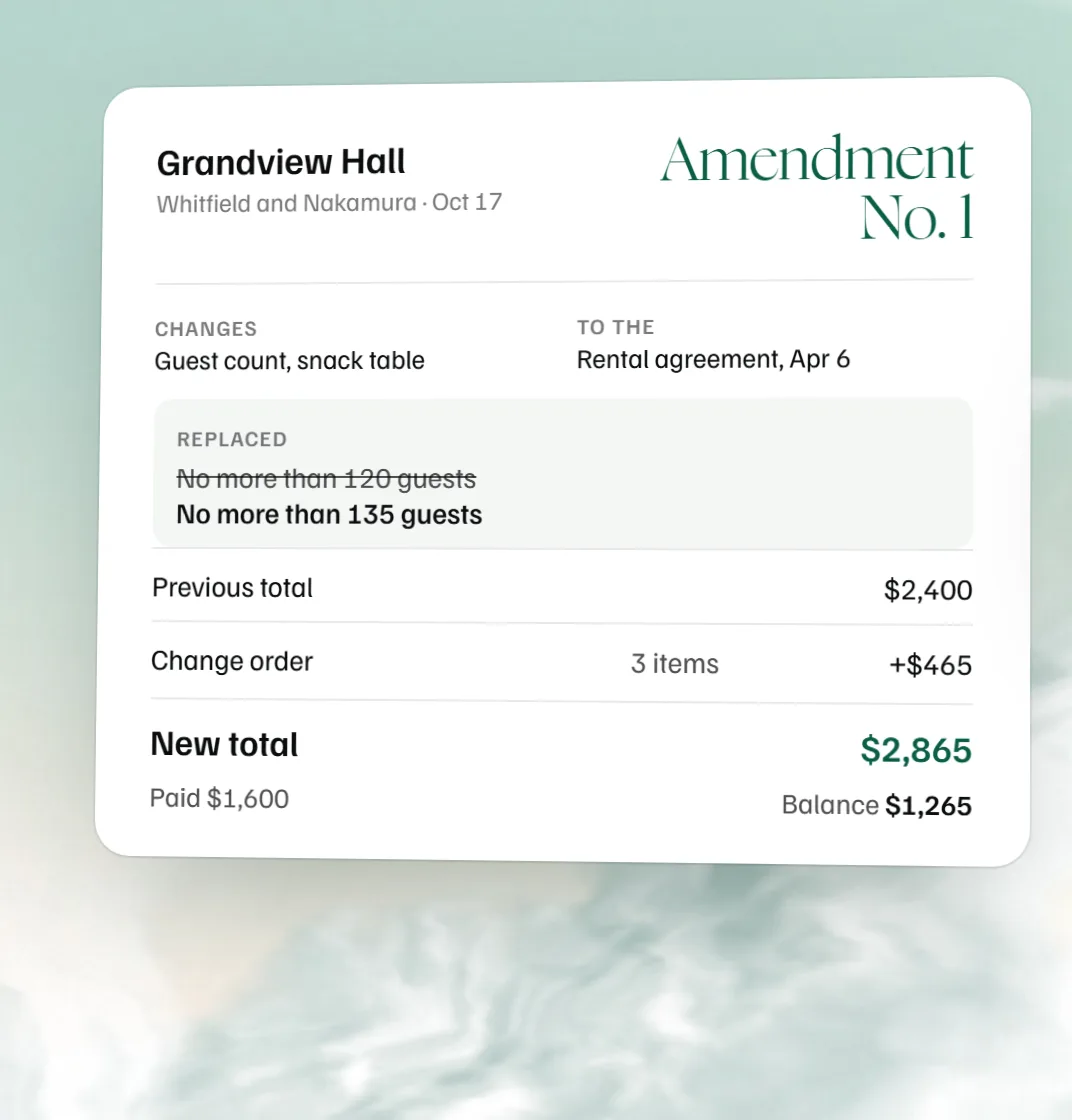
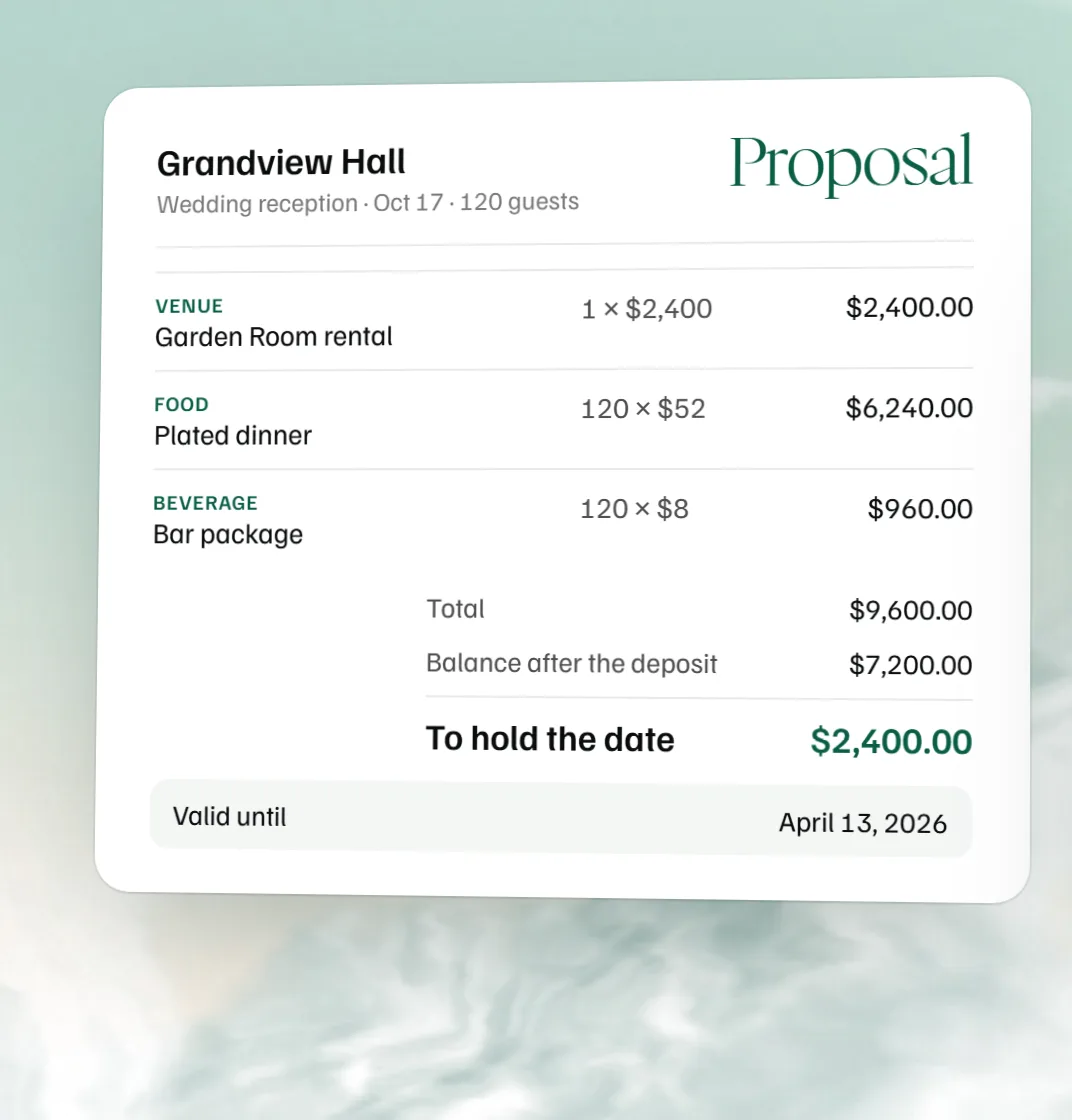
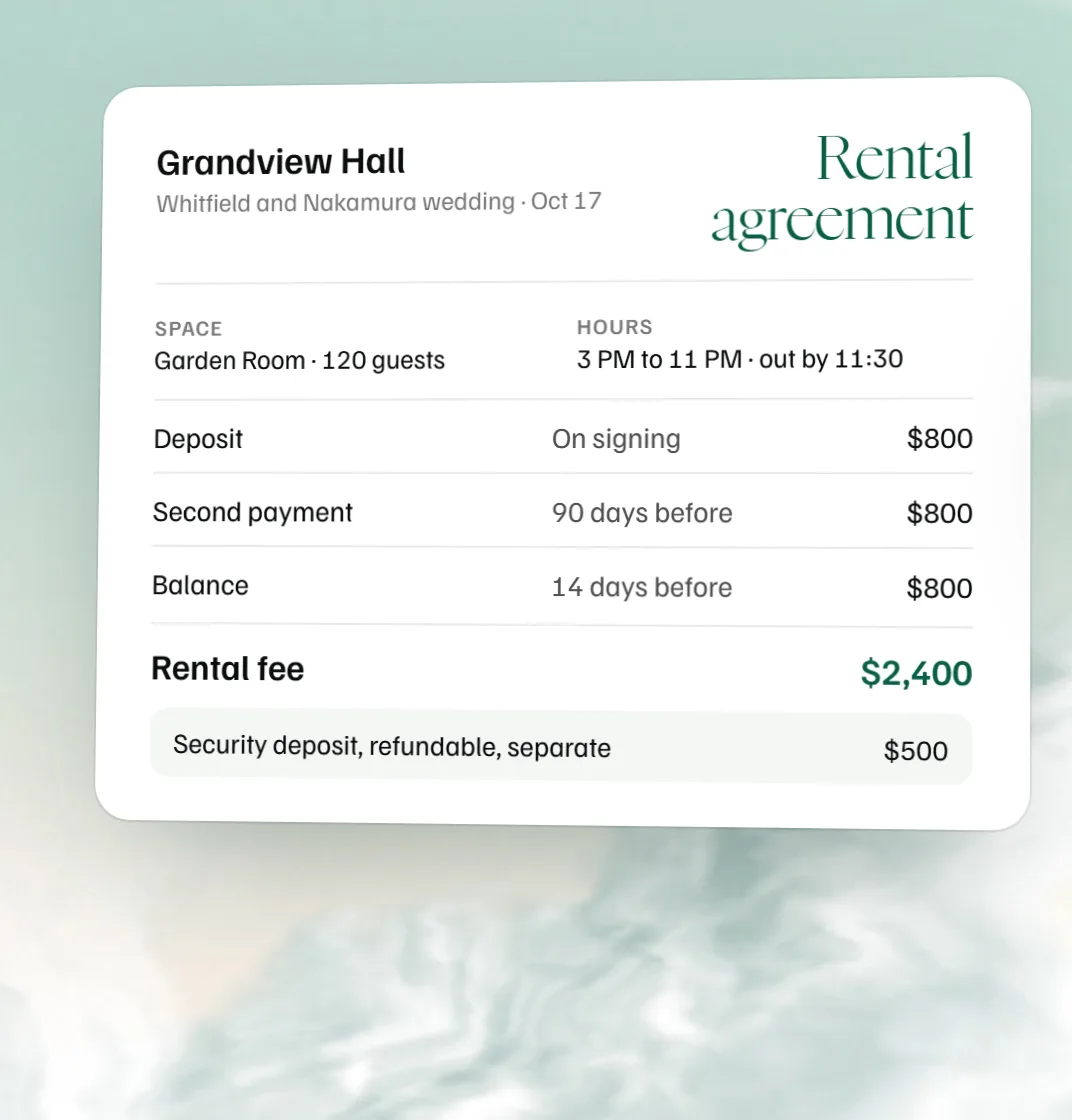
Amendment No. 1 for a sample wedding, replacing the guest count clause and repricing $2,400 to $2,865 with a $1,265 balance, beside the signed original agreement that stays as signed.
Sample venue and wedding. The amendment changes what it lists; the signed original stays as it was.

How to amend a signed event contract

Use an amendment when the same people still hold the same event and a few terms move: the date, the count, the room, what’s included, the price or when it’s paid. Write a new contract when the parties change, when the event does, or when you’d be replacing most of the clauses anyway.

  1. Read the original contract’s amendment clause. It may say changes must be in writing and signed by both sides, or name who can sign for you. Follow it.
  2. Copy the exact wording you’re changing, clause number included. “Make the guest count bigger” isn’t a change. “Section 3: No more than 135 guests may attend” is.
  3. Write the new wording under it. Adding a clause? Say where it goes. Dropping one? Say that.
  4. Restate the money if anything moved: the previous total, the net change, the new total, what’s been paid, the new balance and the due dates.
  5. Say what stays the same.
  6. Both sides sign and date it. Number your amendments in order, attach each one to the signed original, and leave the original untouched.

Add a clause or replace one: two wordings to copy

The template writes either one from what you type. This is the wording a reader gets.

What you’re doingThe contract saysThe amendment says
Replace a clause
Section 4, Rental fee and payments
“The balance is due 14 days before the event.” This section is deleted and replaced.
Was: “The balance is due 14 days before the event.”
Now: “The balance is due 30 days before the event.”
Add a clause
New Section 15, Rehearsal
Nothing yet. This new section is added to the Agreement:
“Venue makes the Garden Room available for a wedding rehearsal on Friday, October 16, 2026, from 5:00 PM to 6:00 PM, at no charge.”

Replace the whole clause, not one word of it, so no one has to lay two documents side by side to find the version in force. Number an added clause after the last one in the contract and say so. The sample dates and clause numbers here are for illustration; use your own contract’s.

What goes in an event contract amendment

Each of these is a field in the template above.

Put inWhy
The original contract and its dateSo the amendment can’t end up attached to the wrong booking.
Amendment number and dateAmendment 2 only makes sense after Amendment 1, and the date says which came last.
Each change: the old wording and the newThe reader sees exactly what moved, clause by clause.
The moneyA new count or an extra hour changes the total. Restating it means nobody redoes the sum later and gets another answer.
What stays the sameCloses off the argument that the whole contract was reopened.
Both signatures and datesA change only one side signed is a disagreement waiting for its date.

Changing the price: the change order block

A change order is the part of an amendment that prices the change. It lists the items added or removed, each with an amount, and a net. Turn the block on and the template adds the items to the previous total, works out the new total and the new balance, and tells you if the payments still to come don’t add up to it.

Removed items go in as negative amounts. In the example, tables and chairs for 15 more guests (15 × $15) and a late-night snack table, less a welcome drink station, come to $465.00 and move the total from $2,400.00 to $2,865.00. With $1,600.00 paid, $1,265.00 is left. Those prices belong to the example; they aren’t a recommendation.

If a removed item was already paid for, say in the amendment whether the money is credited to the balance or refunded. The template doesn’t decide that for you.

Send contracts for e-signature in MyVenueHQ

In MyVenueHQ the contract sits on the booking with the proposal, invoice and BEO, and the client signs from a link on their phone. Contracts with e-signature are on the Venue plan, $49 a month with a 14-day trial. Floor plans and BEOs stay on the free plan.

Contract amendment questions.

What is a contract amendment?

A contract amendment is a written, signed change to a contract that already exists. It names the original contract, says exactly what changes and says that everything else stays the same.

How do you write an amendment to a contract?

Name the original contract and its date, copy the wording you’re changing, write the new wording under it, and restate the money if it moves. Then say that everything else stays in force and have both parties sign and date it.

What’s the difference between an addendum and an amendment?

An amendment changes terms already in the contract; an addendum adds new ones. Plenty of people use the two words interchangeably, so whichever you call it, name the contract and list each change.

Can a signed contract be changed?

Yes, if both sides agree, and a written amendment both sign is the cleanest way to do it. Read the original contract’s amendment or modification clause first, because it may say how changes have to be made.

What does an amendment to an event contract look like?

Say a client adds 15 guests and a late-night snack table after signing. The amendment replaces the guest count clause, adds the snack table clause, restates the new total, what’s been paid and the balance, and both sides sign; the example above is exactly that.

Can we agree a change by email instead?

Only if the original contract allows it, and many require changes in writing signed by both parties. In the U.S. the federal E-SIGN Act says a signature can’t be denied legal effect only because it’s electronic, so an e-signed amendment can work; check your contract and your state.

Sources

Put the change in writing before the date.